


Seekee screenshots (30)



















Description Seekee
Navigating Information Overload with an AI-Powered Browser
The modern internet presents a dual challenge: accessing vast amounts of information while filtering out noise, ads, and irrelevant results. Seekee, developed by Buscari, addresses this by integrating a comprehensive suite of artificial intelligence tools directly into its browser framework. This application moves beyond basic web navigation, positioning itself as a centralized productivity hub designed to process, summarize, and generate content efficiently. Its core functionality is built to streamline online tasks that typically require multiple specialized apps or websites.
Core Analysis of Features and Mechanics
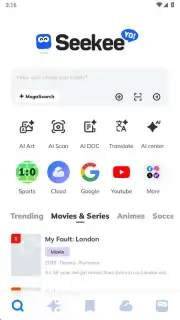
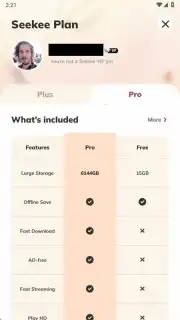
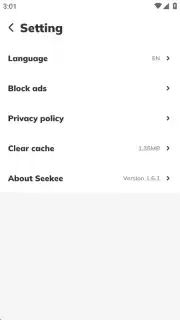
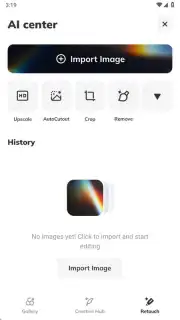
The application operates on a freemium model, providing full access to its toolset with usage limits that scale with subscription tiers. A primary technical feature is the Turbo mode, which enhances browsing speed and, critically, removes all advertising from the web navigation experience. User data management is handled through optional account creation; registering provides 15 GB of free cloud storage for files, videos, and documents, while anonymous browsing remains available. The architecture is built around two main components: the AI Center and the proprietary Megasearch engine.
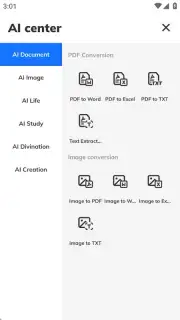
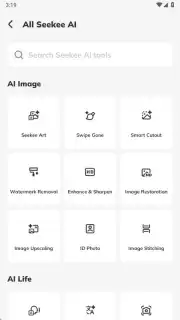
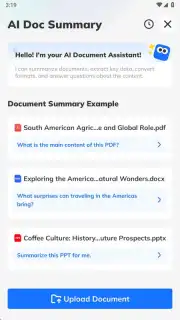
The AI Center functions as a dashboard for over a dozen discrete AI tools. These include practical utilities for image generation, photo restoration, watermark removal, and document scanning with text extraction. It also provides tools for language translation, image recognition, audio transcription, and solving mathematical problems presented in text or image form. For content digestion, it offers book and document summarization. Additional predictive AI tools, such as AI tarot and horoscope readings, are included as supplementary features.
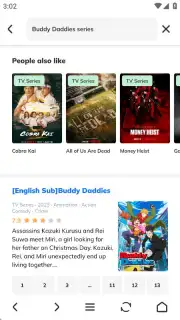
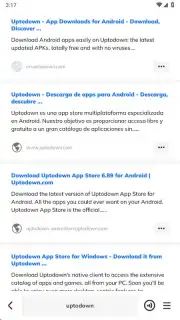
Megasearch is the defining analytical tool within Seekee. It processes user queries not only to return a list of relevant web links but also to generate a direct, synthesized AI answer. This dual-output system aims to provide immediate context alongside traditional search results. In the free version, Megasearch usage is capped at 50 queries per week. The VIP subscription increases this limit to 500 weekly queries, while the PRO tier offers unlimited access. Similar tiered limits apply to other AI features, such as image generation, which ranges from 50 images weekly in the free version to 2,000 in PRO.
Detailed Feature Breakdown
- Megasearch Engine: Combines traditional link results with a concise AI-generated summary answer for complex queries.
- AI Content Creation Suite: Generate images, restore photos, remove watermarks, and transcribe audio using dedicated AI models.
- Document Processing Tools: Scan physical documents, extract text from images, and obtain summarized versions of books or lengthy PDFs.
- Ad-Free Turbo Browsing: Enables faster page loads and removes advertisements without requiring external browser extensions.
- Integrated Cloud Storage: Provides 15 GB of free, account-linked storage for organizing downloaded files and created content.
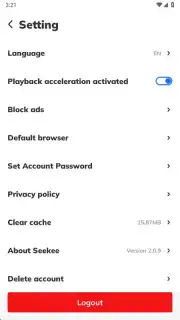
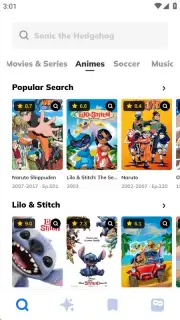
The browser itself includes standard expected features such as bookmark management, privacy settings, and tabbed browsing. However, its integration of AI utilities directly into the navigation interface distinguishes it from conventional alternatives. The toolset is designed for sequential workflow, allowing a user to research a topic via Megasearch, translate relevant foreign-language text, and then create supporting visual content without leaving the application.
Subscription Model and Practical Utility
The application’s utility is directly correlated to its subscription tiers. The free version acts as a fully functional trial, demonstrating all capabilities but with restrictive weekly quotas. For moderate users, the VIP tier significantly expands the usage limits for core tools like Megasearch. The PRO subscription is structured for power users or professionals, removing virtually all quantitative restrictions on AI tool usage. This model allows the app to serve a broad audience, from casual users seeking an ad-free browser with occasional AI assistance to intensive users relying on it for daily content creation and research.
We suggest trying Seekee if your online workflow involves frequent research, content generation, or document management. Its consolidation of disparate AI functions into a single, ad-free browsing environment can reduce application switching and streamline task completion. Consider downloading the application to evaluate its integrated approach against using separate, specialized tools.
Download the Seekee mobile app now to access its integrated AI browser tools.
Internet required. IAP available.
Information
| Version | 2.5.9 |
| Developer | Buscari |
| Requirements | Android Android + 6.0+ |
| Updated | 17.03.2026 |
| Size | 125.9 MB |
| Package | com.enzo.paulo |
| Signature | d34804caef1567d3227601fcac2eb1bd |
| Architecture | armeabi-v7a, arm64-v8a |


