

Share Music & Transfer Files screenshots (6)
Description Share Music & Transfer Files
Effortlessly Share Your Digital World with Lightning-Fast WiFi Transfers
Stop juggling cables, email attachments, or slow Bluetooth connections. Share Music & Transfer Files transforms your local WiFi network into a powerful, private data highway, enabling instant and free file exchanges between Android devices and computers. This streamlined application provides a direct conduit for your digital life, allowing you to move music libraries, photo albums, video collections, documents, and even installed APK files with remarkable simplicity and speed. By leveraging the existing wireless network in your home or office, it creates a seamless bridge for your data, completely bypassing mobile data usage and eliminating the dependency on an internet connection for local transfers.
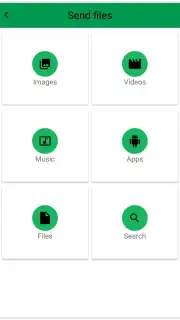
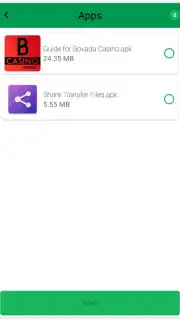
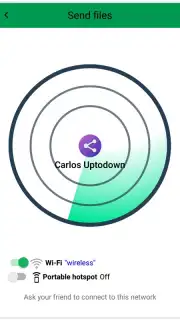
The application's design prioritizes immediate utility with a clean, categorized interface. Upon launching, you are presented with a clear menu segmented by file type—Music, Photos, Videos, Files, Apps—allowing for intuitive, targeted access to your device's storage. Selecting a category prompts an automatic scan and display of all relevant files, from which you can choose individual items or multiple selections for transfer. The app then performs a simultaneous network discovery, identifying all compatible devices connected to the same WiFi network. The transfer process itself is a direct device-to-device handshake, ensuring your files move quickly and securely without ever being stored on an external server. An optional Turbo mode is available to enhance performance, streamlining operations for a premium, ad-free experience that maximizes transfer efficiency.
Core Functionality and User Workflow
- Multi-Format File Support: Transfers a comprehensive range of data types including audio tracks, high-resolution images, video files, documents, and Android application packages (APKs) directly between devices.
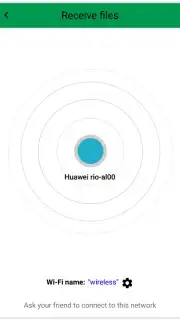
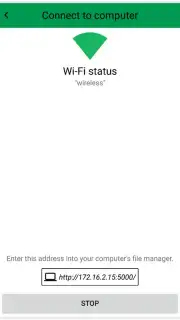
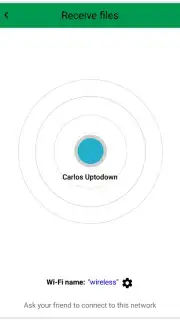
- Network-Based Device Discovery: Automatically scans and lists all available Android devices and computers on the same WiFi network, facilitating quick selection for initiating a send or receive session.
- Categorized Media Library Access: Instantly browses your device's internal storage and SD card content through a sorted menu, eliminating the need to manually navigate complex folder structures to find files.
We suggest trying Share Music & Transfer Files to experience a truly liberated method of managing your files across all your local devices. Consider downloading it now to replace cumbersome sharing methods with a single, unified solution.
Download the mobile app now to start transferring.
Please note: A stable WiFi network connection is required for device discovery and file transfers. The app may offer optional in-app purchases for additional features like the Turbo mode.
Information
| Version | 2.0.8 |
| Developer | trist.com |
| Requirements | Android Android + 4.1, 4.1.1+ |
| Updated | 17.03.2026 |
| Size | 5.55 MB |
| Package | com.huestudio.sharef |
| Signature | e89b158e4bcf988ebd09eb83f5378e87 |



