


SHAREit - Connect & Transfer screenshots (20)









Description SHAREit - Connect & Transfer
Imagine needing to send a large video collection to a friend's phone, but you're in a location with no cellular signal or Wi-Fi. This common scenario is where a dedicated file transfer utility becomes essential, moving beyond the limitations of standard platform sharing. SHAREit - Connect & Transfer provides a direct device-to-device solution for this, creating a local wireless network to facilitate data exchange without relying on internet infrastructure or physical cables. The application is engineered for high-volume transfers, handling media libraries, document batches, and installed applications across Android devices.
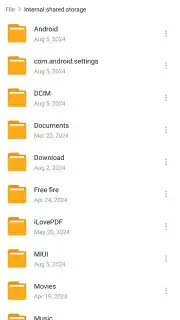
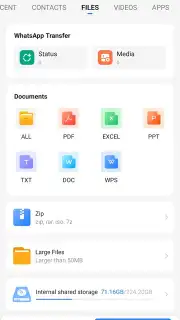
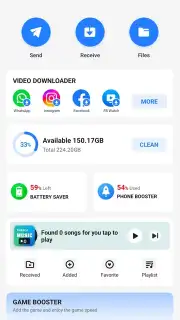
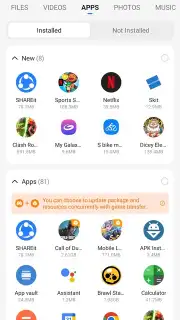
The core functionality operates by establishing a direct Wi-Fi connection between a sender and receiver device, forming a private, peer-to-peer network. This method bypasses cloud servers and external internet routing, which serves as the foundation for both its speed and security protocols. Users initiate a transfer by selecting the sender or receiver role within the interface, after which one device generates a QR code or hotspot for the other to scan or join. Once the connection is validated, the file selection interface allows for multi-format picking, including APK files for applications, with real-time progress tracking for each item in the queue.
Core Functionality and Tools
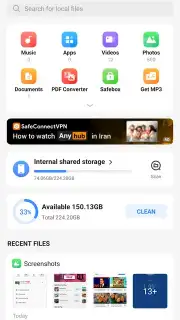
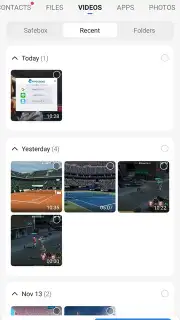
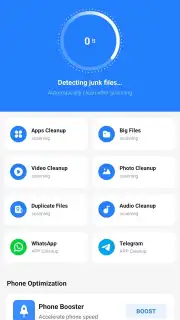
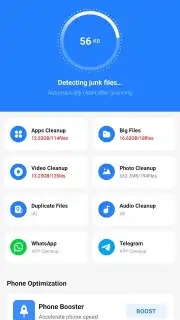
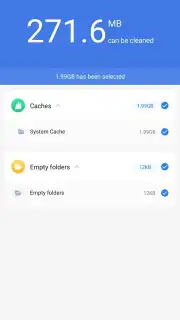
Beyond basic sending and receiving, the application integrates several utility modes designed for device management and media interaction. The built-in media player supports a range of video and audio codecs, enabling immediate playback of received content without switching to another app, which also allows for previewing videos before deciding to save them. A dedicated file cleaner tool performs storage analysis, scanning for residual files, duplicate media, and cache data from uninstalled applications, presenting a deletable list to free up space. The Turbo mode, often referenced in development notes, is a proprietary protocol adjustment aimed at maximizing transfer throughput by optimizing packet distribution across the established local connection.
- High-Speed Offline Transfers: Enables direct Wi-Fi-based file sharing at speeds documented to surpass traditional Bluetooth, supporting batch sends of photos, videos, and documents without mobile data usage.
- Integrated Media Player & Preview: Contains a native video and audio player that launches within the app for instant playback of received media, allowing for content verification before permanent storage.
- Storage Cleaner & Management: Features a scanning tool that identifies junk files, duplicate items, and obsolete application caches, providing a one-tap cleanup to reclaim device storage capacity.
The application's architecture is designed for operational independence from the internet, making it a functional tool for environments with poor connectivity. Its direct transfer method means file data does not transit through external servers, which the developer cites as a privacy measure. For managing large-scale data migration between devices or regular sharing of heavy media files, this utility provides a specific set of offline-capable functions. Consider downloading SHAREit - Connect & Transfer if your activities frequently involve moving substantial data between Android devices in ad-hoc situations.
Download SHAREit - Connect & Transfer for Android now.
Disclaimer: This application requires permissions for storage, location (for Wi-Fi networking), and nearby device communication to function. It operates primarily via local Wi-Fi connections. The developer notes the app contains in-app purchases for enhanced features. Data usage is limited to local device-to-device transfers unless optional online features are accessed. Users should review the app's privacy policy for details on data handling. Network stability can affect transfer speeds. The app may contain promotional content for other services.
Information
| Version | 6.54.58_AP |
| Developer | SHAREit Technologies Co.Ltd |
| Requirements | Android Android 4.2+ |
| Updated | 16.09.2026 |
| Size | 85.53 MB |
| Package | com.lenovo.anyshare.gps |
| Signature | 44d5df89bb0ec148bb95a5d87e8342e9d9fba2dd |
| Architecture | arm64-v8a, armeabi-v7a |


