

Shell screenshots (7)
Description Shell
Ever wished you could carry the raw power of a Linux terminal in your pocket, turning your Android device into a genuine development workstation or a powerful system administration tool? What if you could bypass the usual limitations and interact with your device's core, regardless of whether it's rooted? This isn't just another terminal emulator; it's a complete, portable Linux environment engineered for serious work and exploration on the go.
A Full-Featured Linux Environment on Android
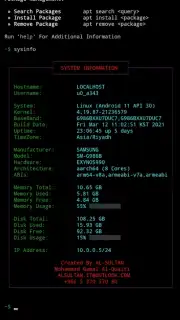
Shell transforms your Android smartphone or tablet into a versatile command-line powerhouse. It builds a fully-functional Linux subsystem directly on your device, bridging the gap between mobile convenience and desktop-grade capability. You experience a genuine terminal interface where you can navigate the Android file system with traditional commands, execute complex scripts, and manage software packages as if you were on a dedicated server or desktop machine. The environment is designed for both learning and professional use, providing a sandbox where you can practice coding, run servers, or automate tasks without needing additional hardware.
Core Features and Professional Tools
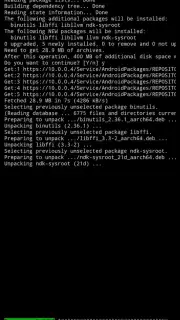
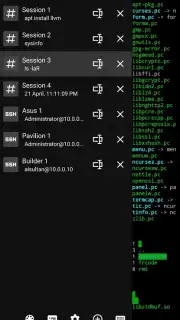
The application delivers a comprehensive set of utilities that go far beyond basic command execution. You gain access to a sophisticated package management system, allowing you to install hundreds of pre-compiled tools and libraries from Debian and Arch Linux repositories directly onto your device. This opens the door to running programming languages like Python, Node.js, and Mono, using development tools like Git, Clang, and Make, or establishing secure SSH connections for remote management. The interface supports multiple concurrent sessions, enabling you to multitask efficiently by running several processes side-by-side, limited only by your device's processor cores.
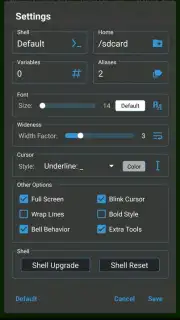
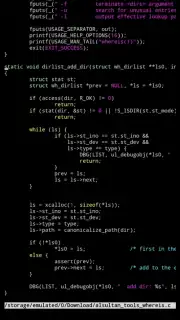
For advanced graphical applications, the integrated X11 server and VNC support mean you can run Linux GUI programs within the environment. You can execute batch files stored on your device, customize your workflow with two configurable quick-access panels, and utilize keyboard shortcuts for faster navigation. The visual experience is highly customizable, with support for 256-color terminals, ANSI codes, adjustable fonts, and multiple cursor styles. You can scroll horizontally through wide outputs, toggle full-screen mode for focused work, and expand or collapse on-screen text for better readability.
- Complete Linux Emulation: Operates with or without root access, supporting the full suite of standard Android and Linux commands.
- Advanced Package Management: Install, update, and remove hundreds of software packages using Debian's APT or Arch's Pacman managers.
- Development & Server Suite: Directly run Python, SSH, Clang, Make, Node.js, Git, Mono, and numerous other essential tools.
- Multi-Session Terminal: Run several independent terminal sessions simultaneously to manage different tasks.
- Graphical Interface Support: Launch graphical Linux applications via the integrated X Window System (X11) and VNC server.
- Local Script Execution: Run batch files and scripts stored directly in your device's internal or external storage.
- Optimized Interface: Features two quick-access toolbars, configurable keyboard shortcuts, and support for left/right screen scrolling.
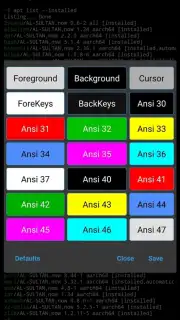
- High Customization: Choose from 256-color schemes, ANSI codes, customizable fonts, cursor styles (with blink support), and full-screen mode.
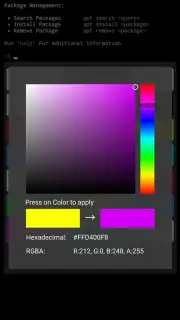
- Pro-Exclusive Enhancements: Unlock an SSH server for inbound connections, save and manage built-in SSH sessions, and apply custom color themes with the Pro version.
Stop limiting your mobile potential. Transform your Android device into a portable coding studio, network admin toolkit, and Linux learning lab. Download Shell now and claim your ultimate command-line advantage.
Internet required. IAP available.
Information
| Version | 6.2.5.2412252158 |
| Developer | AL-SULTAN - Mohammad Gamal Al-Quaiti |
| Requirements | Android Android + 5.0+ |
| Updated | 17.03.2026 |
| Size | 93.66 MB |
| Package | alsultan.shell |
| Signature | 1ff348cf59b0702b06b1178bbd9bee50 |
| Architecture | armeabi-v7a, x86, arm64-v8a, x86_64 |


