


ShiftCalendar screenshots (4)

Description ShiftCalendar
Managing complex shift patterns shouldn't require a second job
For professionals navigating rotating schedules, from healthcare and manufacturing to security and hospitality, a standard calendar app often falls short. ShiftCalendar addresses this core problem directly, functioning as a dedicated scheduling engine built for the intricacies of shift work. It moves beyond simple date tracking to offer a structured, visual system for managing team rotations, personal availability, and long-term planning. This review examines its mechanics as a practical tool for bringing order to chaotic timetables.
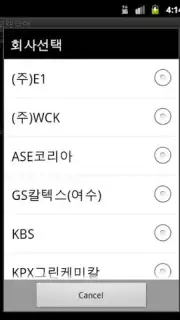
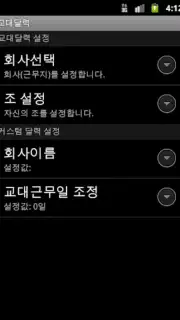
The application’s primary function is the creation and management of shift cycle templates. Users are not limited to a single format; the system supports a range of predefined structures, such as a 4-team, 3-shift pattern or a simpler 2-team, 2-shift roster. The true flexibility lies in the ability to adapt these templates, allowing you to define custom team names, shift types (e.g., Day, Night, Swing), and cycle durations to mirror your organization's exact operational rhythm. This granular customization ensures the calendar reflects reality, not a forced approximation.
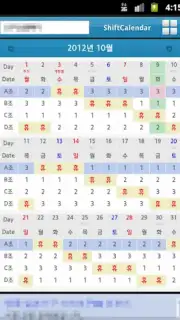
Beyond template creation, ShiftCalendar operates as a central hub for schedule coordination. The interface provides a clear, color-coded monthly or weekly overview, where shifts are assigned visually. Edits are handled directly on the calendar view, enabling quick substitutions or adjustments to cover last-minute changes. A key feature for team leads is the ability to share schedules, exporting or syncing them so all team members have access to the current plan. For the individual user, the app supports synchronization across multiple personal devices via cloud backup, ensuring your schedule is updated whether you check it on a phone or tablet.
- Supports complex roster templates like 4-team, 3-shift cycles and simpler 2-team patterns.
- Offers deep customization for team names, shift types, and rotation durations.
- Provides a clear, visual calendar interface for quick edits and schedule overview.
- Enables easy schedule sharing and export for seamless team coordination.
- Features cross-device synchronization to keep your schedule updated everywhere.
For anyone tired of deciphering paper rosters or wrestling with generic calendars, ShiftCalendar presents a structured and efficient alternative. We suggest trying ShiftCalendar to transform schedule management from a recurring chore into a streamlined, automated process. Consider downloading it to gain precise control over your working hours.
The application requires an internet connection for initial data synchronization and backup features. The developer may offer optional in-app purchases for advanced functionality or expanded template libraries.
Information
| Version | 2.93 |
| Developer | hdsteelman |
| Requirements | Android Android + 4.0, 4.0.1, 4.0.2+ |
| Updated | 17.03.2026 |
| Size | 5.31 MB |
| Package | ShiftCalendar.Package |
| Signature | 618a6427d8872606e7ad69435e9ccbd8 |
| Architecture | universal |


