

SideSync screenshots (4)
Description SideSync
What if your Samsung phone could become a seamless extension of your computer?
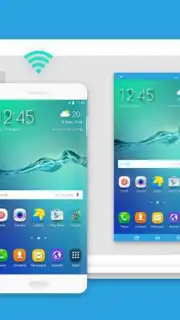
SideSync by Samsung Electronics is a specialized utility application designed to eliminate the traditional barriers between a Samsung mobile device and a Windows PC. It functions not merely as a file transfer tool, but as a comprehensive integration platform, creating a direct operational bridge. By establishing a connection over a shared Wi-Fi network or via a USB cable, the application mirrors your smartphone or tablet's interface directly onto your computer monitor. This setup allows for full control of the Android device from the PC's keyboard and mouse, effectively turning two separate ecosystems into a unified workstation. The core value proposition is a significant reduction in workflow interruption, enabling users to manage communications, notifications, and data without ever needing to physically pick up their mobile device.
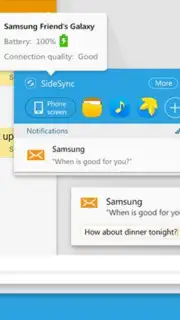
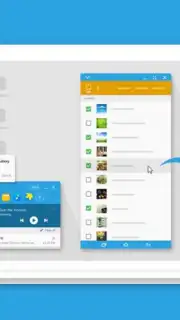
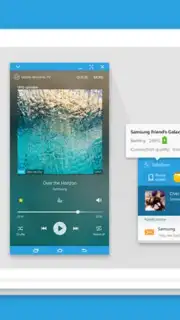
The mechanics of SideSync are built around a persistent, low-latency screen-sharing session. Once connected, your phone's display appears in a resizable window on your desktop, where every action performed with your cursor is executed on the mobile device in real time. This deep integration extends to core telephony functions; incoming calls can be answered and managed through a pop-up interface on the PC, and SMS conversations can be conducted using the full-sized physical keyboard. For data management, the system supports an intuitive drag-and-drop protocol between the PC's native file explorer and the virtual phone window, facilitating instant transfers of documents, images, and videos without resorting to cloud intermediaries or cables for file-specific tasks. A particularly useful feature for users within the Samsung ecosystem is the ability to manage multiple registered devices from a single computer interface, allowing for quick context switching between, for instance, a smartphone and a Galaxy Tab.
Core Operational Features
- Integrated Telephony & Messaging: Answer phone calls and send text messages directly from your PC desktop using your computer's audio and keyboard.
- Cross-Platform File Management: Instantly transfer files through simple drag-and-drop actions between your computer's folders and the mirrored phone screen.
- Multi-Device Control Hub: Seamlessly switch control and screen sharing between different registered Samsung smartphones and tablets from one central PC interface.
The application's "Turbo" mode, referenced in its development, optimizes this connection to prioritize responsiveness and screen refresh rates, ensuring that the mirrored experience feels immediate even when manipulating graphics-intensive applications on the phone. It is a tool engineered for productivity, removing the physical and contextual separation between devices to create a fluid digital environment. For professionals or students who frequently switch contexts between researching on a PC and communicating on a phone, SideSync effectively consolidates these actions into a single focal point, minimizing distraction and streamlining the process of information retrieval and sharing.
Download SideSync now—this utility is offered as a specialized tool for Samsung device owners. For a limited time, ensure you have the latest version to access the most stable connection features and improved device compatibility. Exclusive seamless integration is just one install away.
Disclaimer: This application requires a stable internet connection for Wi-Fi mode functionality and a compatible Samsung device and PC. Features are subject to the specifications of your hardware and operating system versions.
Information
| Version | 4.7.9.3 |
| Developer | Samsung Electronics Co., Ltd. |
| Requirements | Android Android + 4.4+ |
| Updated | 17.03.2026 |
| Size | 8.24 MB |
| Package | com.sec.android.sidesync30 |
| Signature | d087e72912fba064cafa78dc34aea839 |
| Architecture | armeabi |


