


Simple Draw screenshots (7)

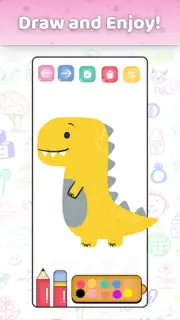
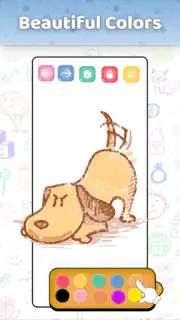

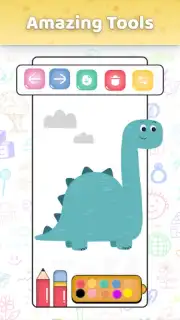
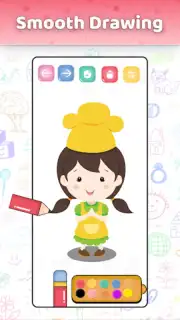
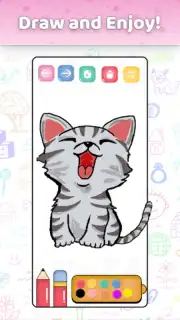
Description Simple Draw
A Digital Sketchbook for Every Skill Level
The transition from physical to digital art can often feel daunting, requiring complex software and a steep learning curve. Simple Draw by GeniusTools Labs presents a different approach, positioning itself as a direct replacement for a paper sketchbook and a basic set of pencils or paints. This application functions as a versatile digital canvas, designed to be accessed immediately upon opening, without the barrier of intricate menus or tool configurations. It caters to a broad user base, from a child making their first digital doodle to an adult sketching out a quick idea, by focusing on core drawing mechanics over advanced digital manipulation. The environment is structured to facilitate creation from the first tap, making the act of drawing the primary focus rather than software navigation.
Core Functionality and Artistic Tools
The application operates on a layer-based drawing system, providing a clean workspace that can be customized with various background templates, including textured paper, plain white, or grid layouts. The toolset is comprehensive for a mobile drawing app, featuring a range of virtual brushes that simulate pencil, ink pen, marker, and airbrush effects, each with adjustable parameters for size, opacity, and flow. A color palette system offers both predefined swatches and a full-spectrum color wheel with RGB sliders for precise color selection. A unique aspect of its design is the integrated step-by-step guide system, which breaks down illustrations into manageable stages, teaching fundamental shapes and composition directly within the creative workspace. This guide is not a separate module but works in tandem with the drawing layer, allowing users to follow along on the same canvas.
The interface includes standard digital art utilities such as multi-level undo and redo, a layer duplication function, and an eraser tool that matches the selected brush's characteristics. For finishing work, the app provides export options in common image formats, allowing for easy sharing to social platforms or saving to the device's gallery. The drawing engine is optimized for touch input, registering pressure sensitivity on compatible devices for natural line variation and offering palm rejection to prevent stray marks. Performance is maintained even with multiple layers and complex sketches, ensuring a fluid experience without noticeable lag during stroke rendering.
Key Features for Creative Workflow
- Step-by-Step Drawing Guides: Interactive tutorials built into the canvas that teach illustration techniques through progressive, traceable steps for various subjects.
- Customizable Brush Library: A collection of digital brushes with editable settings for texture, size, and opacity to mimic real-world art tools.
- Ad-Free Creative Environment: A uninterrupted workspace enabled by the Turbo system, removing all banner and interstitial advertisements during use.
Additional Considerations for Users
The application creates a distinct space for younger users by offering a simplified toolset and guided drawing exercises focused on basic shapes and friendly characters, functioning as a dedicated learning zone. The overall design philosophy emphasizes minimalism and accessibility, with most tools accessible within one or two taps from the main screen. This reduces cognitive load and allows artists to maintain focus on their work. For those seeking to develop skills, the guided exercises progressively increase in complexity, providing a structured path from simple objects to more detailed scenes and figures.
Download Simple Draw now and transform your device into a portable art studio today!
Heads up: you'll need wifi for downloading guides and sharing artwork. Some premium brush packs and advanced guide modules are extra.
Information
| Version | 11.1.2 |
| Developer | GeniusTools Labs |
| Requirements | Android Android + 5.0+ |
| Updated | 17.03.2026 |
| Size | 4.66 MB |
| Package | com.zxaeclub.drawingapp.simpledraw |
| Signature | d548837ac0ec10d05401e7b4c29f5018 |
| Architecture | universal |


