

Sketchbook 2 screenshots (10)

Description Sketchbook 2
Your Digital Canvas Awaits
Imagine a blank page that holds no judgment, only potential. Your ideas, from fleeting thoughts to intricate visions, need a space to live and breathe. This is that space. Sketchbook 2 transforms your device into a professional-grade studio, putting the tools of master illustrators, concept artists, and designers directly into your hands. Whether you're sketching on your commute, painting a landscape from memory, or drafting a design concept, this is where your creativity becomes tangible.
A Toolkit Engineered for Expression
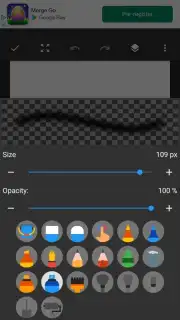
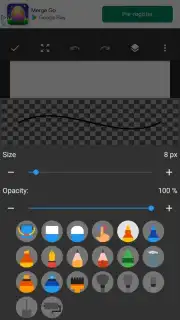
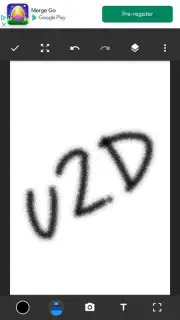
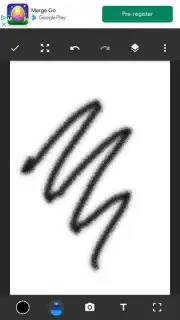
Sketchbook 2 is built on a foundation of powerful, intuitive tools designed to mimic the feel of real media while leveraging the advantages of digital art. You will experience the fluidity of ink with the predictive stroke engine that smooths every line, and the rich texture of oils with customizable brushes that react to the pressure and speed of your stylus or finger. The interface disappears when you need it to, offering a full-screen, distraction-free canvas where you can focus entirely on bringing your imagination to life.
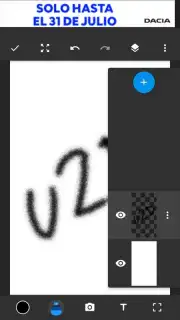
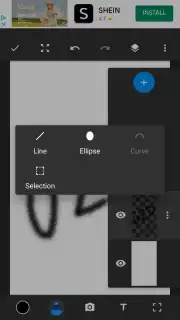
The app provides a layered workflow that gives you complete control. You can build complex illustrations on separate layers, adjusting opacity, blending modes, and visibility with a tap. Use transformation tools to scale, rotate, and warp elements with precision. The perspective guide feature helps you construct scenes with perfect one, two, or three-point perspective, making architectural sketches or dynamic environments feel grounded and real. For those moments of inspiration, quick-access menus and a radial symmetry tool allow you to create intricate patterns and mandalas effortlessly.
Why This Studio Stands Apart
Beyond the robust toolset, Sketchbook 2 is designed for the artist's journey. The user experience is seamless, with a clean, customizable interface that adapts to your workflow, not the other way around. Performance is optimized so you can work on high-resolution canvases without lag, ensuring your creative flow is never interrupted. The visual fidelity is exceptional, with true-to-life brush behavior and a color palette that offers both classic choices and advanced mixing for that perfect hue.
- Professional-grade digital brushes
- Intuitive layer-based workflow
- Advanced perspective drawing guides
- Distraction-free full-screen canvas
Stop imagining your masterpiece and start creating it. The perfect tool to capture your vision is here. Download Sketchbook 2 now and turn every idea into art.
Requires an internet connection for initial download and access to certain cloud-based features. The app is free to download and use, with optional premium brushes and tool packs available via in-app purchase.
Information
| Version | 2.1.0 |
| Developer | SketchBook |
| Requirements | Android Android + 6.0+ |
| Updated | 17.03.2026 |
| Size | 6.87 MB |
| Package | com.drawing.sketch |
| Signature | e057752693772e25a4a65ac91a0f1f49 |
| Architecture | armeabi-v7a, x86, arm64-v8a, x86_64 |


