

SketchUp Viewer screenshots (10)
Description SketchUp Viewer
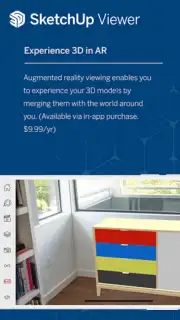
How do you review, present, and collaborate on complex 3D models when you're away from your desktop workstation? SketchUp Viewer provides the definitive mobile solution for professionals and enthusiasts to interact with their SketchUp projects directly on an Android device, transforming it into a portable window for detailed design analysis and client presentations.
Core Functionality and Tools
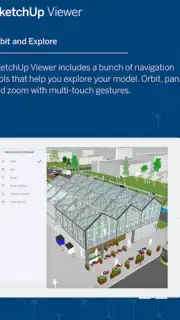
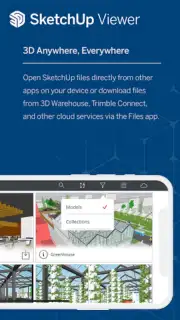
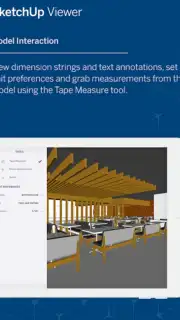
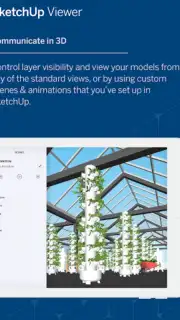
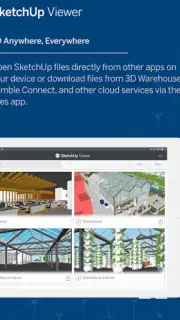
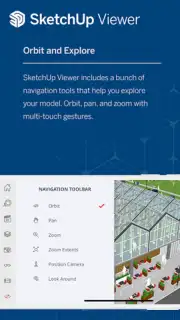
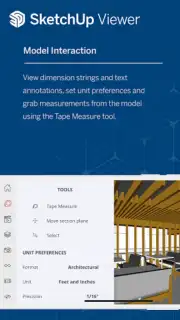
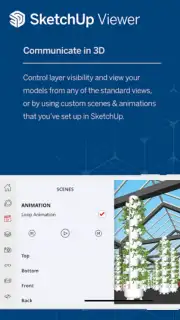
This application serves as a dedicated viewer for SKP files, the native format of SketchUp. It allows users to open, orbit, pan, and zoom into models with multi-touch gestures, maintaining the full integrity of the original design's geometry, materials, and component structure. The toolset is focused on examination and communication, enabling users to take precise measurements, create cross-sectional views with the Section Plane tool, and toggle the visibility of layers or tags to deconstruct a model's assembly. For collaborative workflows, it supports the loading of models from Trimble Connect cloud storage, ensuring access to the latest project version from any location.
Key Operational Advantages
The interface is optimized for a mobile touch environment, prioritizing clear navigation and rendering performance over creation tools, which distinguishes it from the desktop software. Visual fidelity is a primary concern, with support for high-resolution textures and shadows that accurately reflect the model's intended appearance. The application handles large, detailed models by employing level-of-detail rendering techniques to maintain interactive frame rates. Its utility is in its specificity—it performs a defined set of inspection and presentation tasks with a high degree of reliability and precision, making it an essential companion for construction professionals, architects, and designers who need to reference their work in the field or in meetings.
- Full Model Interaction: Navigate complex 3D designs using intuitive pinch, pan, and rotate multi-touch controls.
- Precision Measurement Tools: Instantly calculate distances, areas, and angles between any points in the model for on-site verification.
- Cloud Project Integration: Directly access and open the latest versions of your models stored on Trimble Connect for seamless workflow continuity.
Start reviewing and presenting your 3D designs with precision anywhere you go. Download the mobile app now.
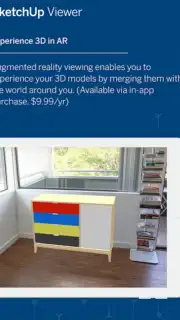
Internet required. IAP available.
Information
| Version | 5.5.2 |
| Developer | Trimble Inc. |
| Requirements | Android Android + 6.0+ |
| Updated | 17.03.2026 |
| Size | 135.41 MB |
| Package | com.trimble.buildings.sketchup |
| Signature | 186eae1d9d5742af1da0490d1aaa6603 |
| Architecture | arm64-v8a, x86_64 |


