

Smart Notifications screenshots (5)
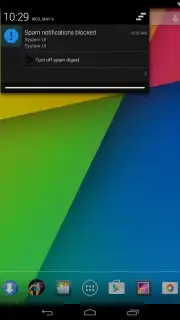
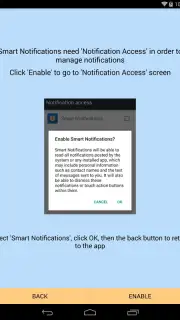
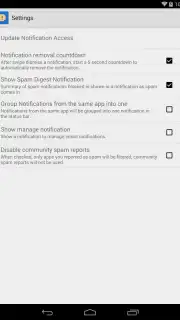
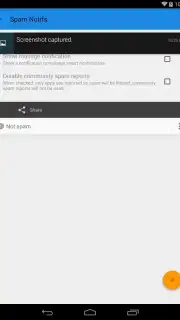
Description Smart Notifications
A New Layer of Control for Your Android Interface
Smart Notifications fundamentally rethinks the standard Android alert system, transforming it from a source of distraction into a curated stream of actionable information. This application provides granular, system-level control over every visual and auditory aspect of your notifications, allowing for a deeply personalized and aesthetically cohesive mobile experience. It addresses the core user dilemma of staying informed without being overwhelmed, placing design and utility at the forefront of system interaction.
Core Functionality and Feature Set
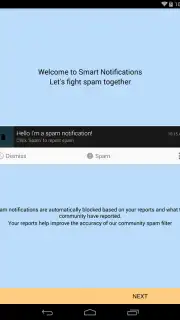
Operating as a sophisticated overlay and management suite, Smart Notifications intercepts and styles alerts before they reach your screen. The app’s primary mechanics involve a comprehensive theme engine and a powerful rule-based filtering system. Users can apply uniform visual templates—from minimalist monochrome bars to vibrant, gradient-filled bubbles—to notifications across all applications, creating a consistent look that aligns with their chosen wallpaper or icon pack. Beyond aesthetics, the tool enables conditional actions, such as automatically silencing non-urgent social media alerts during work hours or applying a distinct visual theme to messages from priority contacts.
The interface is built around a dashboard that categorizes notifications by app and type, offering individual controls for sound, vibration, LED color, on-screen duration, and privacy content. A standout feature is the preview panel, which renders proposed theme changes in real-time against a mockup of your device’s status bar and lock screen. This allows for precise tuning of elements like font weight, icon size, shadow opacity, and corner rounding, treating system alerts as a core component of your device’s art direction.
Key Advantages and User Experience
The principal strength of Smart Notifications lies in its fusion of deep technical capability with an intuitive design-centric approach. It delivers a level of customization typically reserved for rooted devices, all through a secure, non-root interface. The visual output is remarkably polished, with themes that render without lag or graphical artifacts, ensuring reliability matches style.
- Unified Visual Theming: Apply cohesive color palettes, animations, and fonts to alerts from every app on your device.
- Context-Aware Notification Rules: Create smart filters that modify alert behavior based on time, location, or app activity.
- Granular Per-App Controls: Independently manage sound, vibration, privacy settings, and display style for each installed application.
Performance is optimized for Android 4.3 and above, ensuring broad compatibility and efficient battery usage by leveraging the native notification system rather than replacing it. The result is an interface that feels both uniquely personal and inherently streamlined, turning a functional system element into an expression of individual design.
Claim your advantage now and transform your notification feed into a designed experience. Download Smart Notifications today to begin curating your digital periphery.
Requires an internet connection for initial theme catalog access. The app is free to use with optional premium themes and advanced rule sets available via in-app purchase.
Information
| Version | 0.9 |
| Developer | Kiwi Tree |
| Requirements | Android Android + 4.3+ |
| Updated | 17.03.2026 |
| Size | 4.19 MB |
| Package | org.dvdh.control |
| Signature | f4fd4c5b8b8cf329b799a34f417d7896 |
| Architecture | universal |


