

Smart Office screenshots (5)
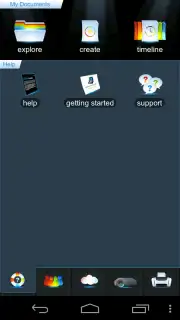
Description Smart Office
Never Be Without Your Office Documents Again
Imagine needing to edit a crucial spreadsheet or finalize a presentation, but your computer is nowhere in sight. That familiar wave of frustration hits as you realize you’re locked out of your work. Your productivity shouldn't be chained to a single device. What if you could carry a full-featured office suite in your pocket, capable of opening, creating, and editing any document from anywhere? This is the reality offered by a mobile solution designed to break those chains, turning your smartphone or tablet into a legitimate workstation for Microsoft Office files, spreadsheets, presentations, and PDFs.
A Comprehensive Toolkit for Mobile Productivity
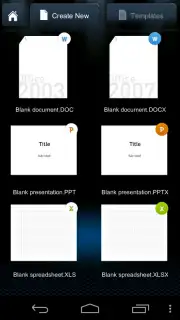
This application places a powerful document hub directly into your hands. You gain the ability to generate new files or modify existing ones across all major formats—DOC, DOCX, XLS, XLSX, PPT, and PPTX—with everything saved seamlessly to your cloud storage. This ensures your latest changes are always synchronized and accessible, whether you're at your desk, commuting, or working remotely. The experience is built for a touchscreen environment, featuring full multi-touch gesture support that makes navigation and editing feel intuitive. A dedicated reading view allows for precise, page-by-page editing, letting you tweak the finest details of your documents with ease.
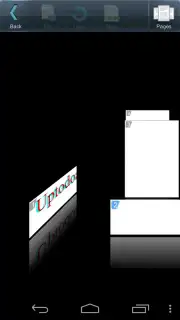
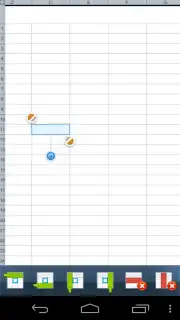
Starting a new project is streamlined with a selection of pre-installed, fully customizable templates. You can launch your work using these professional layouts and then adjust every element to match your specific needs. The interface is clean and focused, with a bottom toolbar that consolidates all essential tools. From here, you can reformat pages, insert images, adjust zoom levels, and even utilize a 3D view mode to navigate through documents. A significant efficiency boost comes from the ability to copy and paste content between different documents without the constant need to open and close files, maintaining a smooth and uninterrupted workflow.
Compatibility is a cornerstone of this app's design. It maintains extensive support for legacy and modern file formats, ensuring you can open documents created in Word, PowerPoint, and Excel from versions as far back as 97, all the way through to the latest DOCX, XLSX, and PPTX standards. For times when a physical copy is necessary, the app offers robust printing support compatible with printers using HP PCL3GUI, PCL6, PCL5, Epson ESC/P-R, and Samsung SPL command languages.
Key Features at Your Fingertips
- Full Format Support: Create and edit documents in DOC, DOCX, PPT, PPTX, XLS, and XLSX formats.
- Cloud Integration: Save files directly to your preferred cloud service for universal access and automatic backup.
- Touch-Optimized Editing: Utilize multi-touch gestures and a precise reading view for detailed page editing.
- Ready-to-Use Templates: Jumpstart projects with customizable templates for various document types.
- Consolidated Toolbar: Access formatting, image insertion, zoom, and 3D view tools from a single, accessible panel.
- Efficient Workflow Tools: Copy and paste elements between documents without switching windows constantly.
- Wide Legacy Compatibility: Open files from Microsoft Office 97, 2000, XP, 2003, 2007, 2010, and beyond.
- Direct Printing: Print documents to supported printers using HP, Epson, and Samsung printer languages.
- Ad-Free Experience: Focus on your work without interruptions from advertisements.
Consider downloading Smart Office to transform how you handle documents on the move. This app provides a serious, capable platform for managing your office tasks from anywhere, ensuring you are never blocked from your important files again.
Download the Smart Office mobile app now to unlock complete document freedom.
Disclaimer: This application requires an internet connection for initial download, cloud services, and potential updates. Some features or templates may be subject to in-app purchases. Data usage applies when syncing with cloud storage or using online features. Please check the app's listing for any age restrictions. The developer is not responsible for data loss; regularly back up your files.
Information
| Version | 3.13.9 |
| Developer | Picsel |
| Requirements | Android Android + 5.0+ |
| Updated | 17.03.2026 |
| Size | 67.58 MB |
| Package | com.picsel.tgv.app.smartoffice |
| Signature | 71d2642c92de492ffaa33fd318390b6f |
| Architecture | armeabi-v7a, x86, arm64-v8a, x86_64 |


