

Smart Volume Controller screenshots (4)

Description Smart Volume Controller
A Persistent Problem, Finally Solved
You’re watching a film late at night. The dialogue is a whisper, forcing you to turn the volume up. Suddenly, an explosive action sequence erupts, blasting through the speakers and waking everyone in the house. This common scenario highlights a fundamental flaw in standard audio management: a single, global volume level is often insufficient for modern, dynamic media. Smart Volume Controller addresses this by providing granular, per-application audio control, transforming a basic system function into a customizable tool for managing your device's soundscape.
Core Functionality and Analytical Overview
This application operates as an advanced audio routing and limitation utility. It inserts a software layer between your Android device’s operating system and individual applications, allowing for independent volume adjustment and audio effect application for each app. The primary interface is a persistent dashboard or quick-access panel that lists all currently active and recently used applications alongside individual volume sliders and toggle switches.
The mechanics are straightforward but powerful. Users can lower the volume of a noisy game while keeping a music player at full level, or completely mute advertisement sounds in a free application without affecting system notifications. A key analytical feature is the ability to set maximum volume limits per app, a function particularly useful for protecting hearing when using media players or for preventing unexpectedly loud sounds from children's games. The app typically utilizes standard Android audio APIs to apply these changes without requiring root access, maintaining system stability while offering enhanced control.
Key Advantages in User Experience
The principal strength of this utility is the elimination of audio conflict between applications. It provides a tangible solution to a daily usability pain point. The user experience is designed for immediacy; adjustments can be made from a notification shade widget or an overlay, negating the need to navigate into the app itself during media playback. This prioritizes convenience and speed.
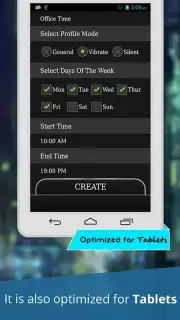
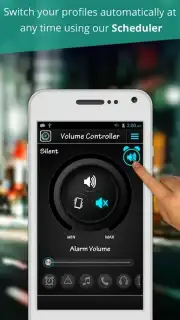
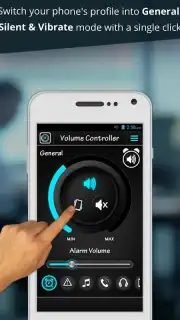
Visually, the design leans towards functional minimalism. The interface uses clear labels, distinct sliders, and intuitive icons to ensure the tool is accessible rather than aesthetically driven. Performance is generally lightweight, as the app acts as a control hub rather than a processor-intensive audio modifier. It offers a direct, uncluttered approach to solving a specific problem, which is its most significant advantage over managing volume solely through the standard Android settings menu.
- Per-application independent volume control
- Set permanent maximum volume limits
- Quick-access widget in notification panel
- No root access required for core features
For anyone who multitasks with audio on their device or seeks to eliminate jarring volume spikes, this tool offers a necessary layer of customization. Consider downloading Smart Volume Controller to manage your device's audio output with precision.
Internet required. IAP available.
Information
| Version | 1.0.8 |
| Developer | Fortune Apps Dev |
| Requirements | Android Android + 2.3.3, 2.3.4+ |
| Updated | 17.03.2026 |
| Size | 4.29 MB |
| Package | apps.fortuneappsdev.smartvolumecontroller |
| Signature | 0f162873fee6df3f19f53002247385b2 |




