

SmartTube screenshots (9)


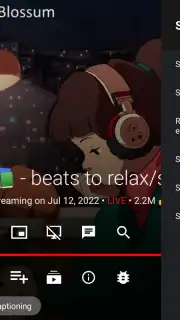
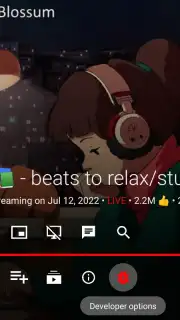
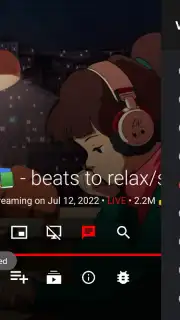
Description SmartTube
Eliminate YouTube Ads and Unlock Advanced Playback on Your Android TV
Tired of constant ad interruptions and limited playback controls when watching YouTube on your Android TV or Smart TV? Standard applications often restrict functionality and inject mandatory advertising breaks. SmartTube provides a specialized alternative video player built exclusively for Android TV platforms, delivering a streamlined, feature-rich viewing experience without any video ads. This application enables full access to YouTube's library while integrating advanced tools for playback customization, content filtering, and background operation.
Core Functionality and Interface Design
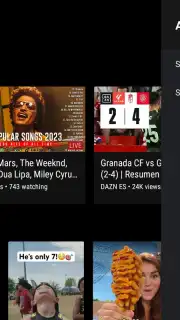
SmartTube is engineered specifically for landscape orientation on televisions and set-top boxes, optimizing navigation for remote control use. The interface presents a familiar layout with a search system and a recommendations feed tailored to user preferences. Search results can be filtered and sorted by multiple parameters including duration, upload date, and content type. Video playback supports resolutions up to 8K, 60 FPS, and HDR formats, with additional support for live stream chats. Playback speed adjustment is available directly from the player interface.
Advanced Features and System Integration
A primary component is the integrated ad blocker, which removes all pre-roll, mid-roll, and banner advertisements from YouTube streams. The player incorporates SponsorBlock functionality, which can automatically skip sponsored segments, intros, and outros within videos based on community submissions. Users can log in with a Google account to access personal subscriptions, playlists, and continue watching progress across devices. The application also supports Chromecast functionality for casting videos manually from a smartphone or tablet to the connected TV.
Playback Settings and Performance Controls
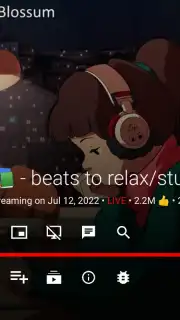
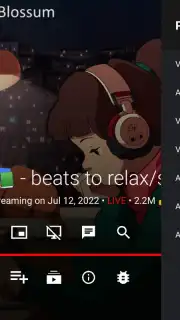
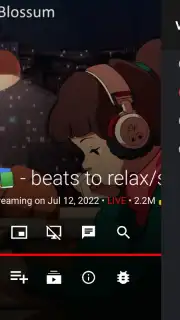
The settings panel offers granular control over video performance. Users can manually set the default resolution and frame rate, configure the buffer size to reduce loading times, and force a specific refresh rate for compatibility. The player includes options to enable, disable, or customize subtitles. A statistics for nerds display provides real-time data on video codec, resolution, and connection speed. Additional utilities include a full description viewer, a screen-off mode for audio-only background playback, and a dedicated OLED screen burn-in prevention setting to turn off the display during podcasts or music listening.
- Ad-Free YouTube Streaming: Blocks all video and banner advertisements during playback without interruptions.
- SponsorBlock Integration: Automatically skips sponsored content, intros, and outros using community timestamps.
- Background & Audio-Only Playback: Listen to videos with the screen off or while using other TV applications.
- High-Res Video Support: Delivers playback in up to 8K resolution, 60 FPS, and HDR formats where available.
- Advanced Playback Controls: Includes speed adjustment, forced refresh rate, buffer configuration, and stats.
- Google Account Synchronization: Access subscriptions, history, and playlists with resume playback support.
- Chromecast Functionality: Manually cast videos from mobile devices to your Android TV.
- OLED Protection Mode: Features a screen-off setting to prevent burn-in on OLED television panels.
Transform your Android TV into a powerful, ad-free YouTube hub with complete control over your viewing experience. Download SmartTube now and start streaming without limits.
Get your advanced TV player today and unlock seamless, interruption-free viewing.
Disclaimer: This application requires an active internet connection and a compatible Android TV or Smart TV device. It provides access to publicly available YouTube content. The developer is not affiliated with Google or YouTube. Use of background playback and other features may affect device battery life during prolonged use.
Information
| Version | 30.19 |
| Developer | yuliskov |
| Requirements | Android Android + 4.2, 4.2.2+ |
| Updated | 17.03.2026 |
| Size | 21.78 MB |
| Package | com.teamsmart.videomanager.tv |
| Signature | 439bfc92aab07b49244f7b835172f48e |
| Architecture | armeabi-v7a |


