

SoundAbout screenshots (6)
Description SoundAbout
Take Full Command of Your Android Audio Routing
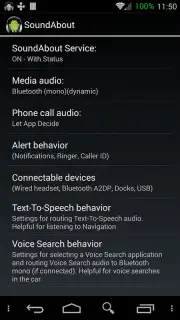
SoundAbout delivers granular control over every audio channel on your Android device, moving beyond basic volume settings to manage precise output destinations. This utility enables users to override default system behaviors, directing specific sound types to chosen hardware outputs without requiring complex system modifications or root access. It functions as an essential tool for troubleshooting audio issues, optimizing media setups, and personalizing the auditory experience across calls, media, and alerts.
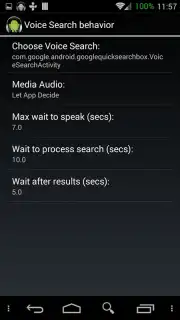
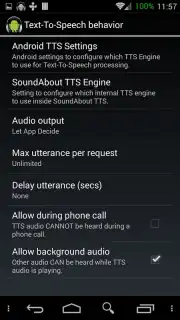
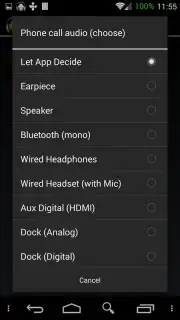
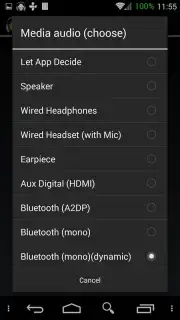
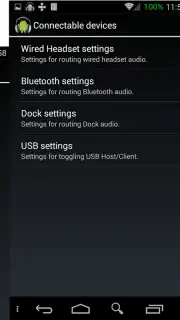
The application provides a structured interface categorizing all audio streams on the device, such as media playback, voice call audio, system sounds, and notification alerts. For each category, you can manually select a preferred output path, including the built-in speaker, wired headphones, Bluetooth headsets, or HDMI connections. This is particularly useful for forcing call audio through a Bluetooth car kit while routing navigation prompts to the phone speaker, or diverting all media to a USB DAC while keeping game sounds on the internal speaker. The Turbo version removes all advertising and introduces persistent profile settings that survive reboots, ensuring your audio configuration remains intact.
- Route call audio separately
- Control media output channels
- Set persistent audio profiles
Download the SoundAbout mobile app now to unlock professional-grade audio routing—this is a limited-time offer for exclusive early access to advanced audio management tools.
Heads up: you'll need wifi for initial download and updates. Some cool stuff, like persistent profiles and an ad-free experience, is part of the optional Turbo upgrade.
Information
| Version | 2.7.0.1 |
| Developer | David Woods |
| Requirements | Android Android + 2.1.x+ |
| Updated | 17.03.2026 |
| Size | 2.51 MB |
| Package | com.woodslink.android.wiredheadphoneroutingfix |
| Signature | 0cf25b06eec451e35c8072d47ceed41c |
| Architecture | universal |


