

SoundAnalyzer screenshots (1)
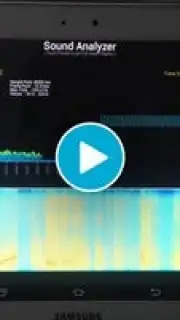
Description SoundAnalyzer
Turn Your Phone Into a Professional Audio Lab
Imagine having the power to dissect any sound in your environment, from a guitar's delicate string vibration to the complex roar of an engine, right from your pocket. SoundAnalyzer transforms your Android smartphone or tablet into a sophisticated audio analysis workstation. This tool provides you with a deep, scientific look into sound, delivering comprehensive data across both the time and frequency domains. Whether you are a musician fine-tuning your instrument, a student conducting an acoustic experiment, a mechanic diagnosing a noise, or simply a curious mind exploring the sounds of nature, this application serves as your universal key to understanding the unseen world of audio.
Deep Dive into Sound with Unmatched Clarity
The core experience is built around three powerful, simultaneous visualization panels that give you a complete picture of any audio signal. You watch the raw waveform unfold in real-time on the oscilloscope, seeing the exact amplitude changes over time. Simultaneously, the spectrum analyzer displays a live bar graph of all the frequencies present at that very instant. For a historical view, the spectrogram paints a colorful, scrolling map that shows how those frequencies evolve and accumulate over time. Having all three views active at once on a fully customizable interface means you never miss a detail. You can pause the display at any moment to capture a perfect screenshot for reports or study, making analysis both intuitive and thoroughly documented.
Engineered for Precision and Control
Beyond visualization, SoundAnalyzer grants you laboratory-grade control over your analysis. You select from a range of professional sample rates, from 8,000 Hz to 48,000 Hz, to match the fidelity required for your specific task. Its advanced peak frequency detection algorithm pinpoints the dominant tones with exceptional accuracy. On the spectrum panel, you can choose to display the top one or five leading frequencies, and switch between linear or logarithmic magnitude scales. This level of granularity is essential for tasks like tuning instruments to perfect pitch, analyzing harmonic distortion, or identifying specific noise components in a complex soundscape.
Streamlined for Every User
Despite its advanced capabilities, the application is designed for effortless navigation. The clean layout and logical menu structure ensure that both first-time users and seasoned audio engineers can start analyzing immediately. The app requests microphone permission solely for real-time analysis; it does not record or store your audio samples, prioritizing your privacy. An internet connection is used only for essential functions, keeping the focus squarely on your analysis without unnecessary distractions.
- Triple Visualization Dashboard: View the oscilloscope, live spectrum, and cumulative spectrogram simultaneously in a customizable full-screen layout.
- Professional Capture Tools: Pause live analysis to take precise screenshots for detailed documentation and sharing.
- Adjustable High-Fidelity Sampling: Choose from multiple sample rates up to 48,000 Hz for tailored analysis precision.
- Advanced Frequency Detection: Utilize a specialized algorithm for accurate identification of peak frequencies with selectable scales.
- Privacy-Focused & Intuitive: Real-time microphone use only, with a streamlined interface designed for all skill levels.
We suggest trying SoundAnalyzer to unlock a new dimension of auditory understanding and technical discovery.
Download the SoundAnalyzer mobile app now.
Heads up: you'll need wifi for core functionality updates. Some advanced analytical features and the ad-free Turbo experience are optional extras.
Information
| Version | 1.12 |
| Developer | TiniaSoft |
| Requirements | Android Android + 4.0, 4.0.1, 4.0.2+ |
| Updated | 17.03.2026 |
| Size | 1.69 MB |
| Package | processing.test.soundanalyzer |
| Signature | ca1f09f4000e2fa288248f38bfa1d31a |


