


SpeedTest Master-Lite screenshots (8)





Description SpeedTest Master-Lite
You’re in the middle of an important video call when the screen freezes. Your connection drops, and you’re left wondering: is it your Wi‑Fi, the mobile network, or the service itself? Modern life runs on internet reliability, yet we often have no real data to diagnose the problem. SpeedTest Master‑Lite provides that essential, immediate clarity, transforming vague frustration into actionable insight with a single tap.
Core Functionality and Testing Modes
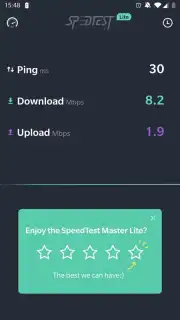
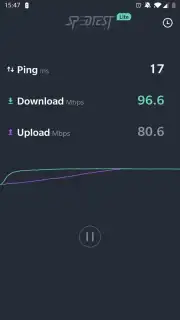
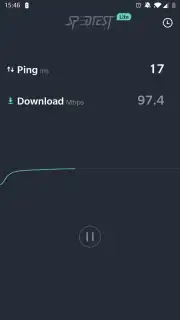
This tool operates as a dedicated network diagnostics suite. The primary function is a comprehensive speed test that measures your current download and upload speeds in Mbps, alongside critical latency (ping) and jitter values. This test can be manually initiated or scheduled to run automatically at set intervals, building a historical log of your connection’s performance. Beyond raw speed, the app includes a detailed network information panel. This section displays your device’s current IP address (both local and public), your ISP’s name, and the specific type of connection in use (e.g., 4G LTE, 5G, Wi‑Fi 802.11ac). A separate ping tool allows you to test the stability of your connection to specific servers or websites, which is invaluable for diagnosing intermittent dropouts that a standard speed test might miss.
Analytical Advantages and User Experience
The utility of SpeedTest Master‑Lite lies in its focused, no‑nonsense approach to network analysis. The interface is purposefully clean, presenting complex data through clear, large numerical readouts and intuitive graphs that chart speed over time. There is no unnecessary clutter or confusing menus; every screen is designed to deliver a specific diagnostic result. The app performs its tests efficiently, using a global network of servers to ensure geographically relevant and accurate readings without consuming excessive device resources or battery life. The history feature is particularly useful, allowing you to compare results from different times of day or locations to identify patterns—proving whether your evening slowdowns are a consistent issue.
- One‑tap comprehensive speed analysis
- Real‑time network information display
- Historical data logs and performance charts
- Built‑in ping and connection stability tester
Stop guessing about your internet quality. Download SpeedTest Master‑Lite now and gain the definitive tool to measure, understand, and improve your connection.
Heads up: you'll need wifi or a mobile data connection for most features. Some advanced diagnostic tools and ad‑free usage are extra.
Information
| Version | 1.7.0 |
| Developer | Test speed internet & Net meter |
| Requirements | Android Android + 7.0+ |
| Updated | 17.03.2026 |
| Size | 2.3 MB |
| Package | com.atlasv.android.speedtest.lite |
| Signature | b889e3331fb2fb74caa46fd859fee073 |
| Architecture | universal |





