


StarNote screenshots (12)


Description StarNote
Imagine Your Notes, Transformed
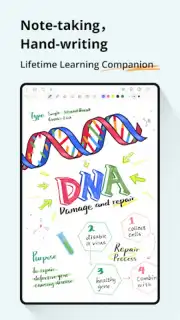
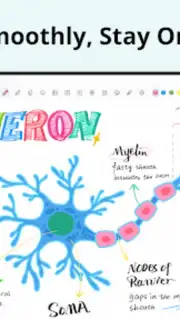
You open your tablet, ready to capture a complex idea, annotate a crucial document, or simply brainstorm. The frustration of clunky, delayed input or limited tools can instantly stifle that creative or professional flow. This is the gap StarNote fills. Designed from the ground up for Android, this application redefines what it means to write, draw, and annotate digitally. It places the natural feel of pen on paper into your hands, coupled with powerful organizational intelligence, creating a seamless hub for your thoughts, research, and projects. Whether you're a student diagramming biological processes, a researcher marking up academic papers, or a professional sketching project timelines, StarNote provides the precise, fluid environment where your work can evolve without friction.
A Deep Dive into Digital Handwriting and Annotation
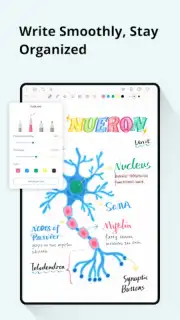
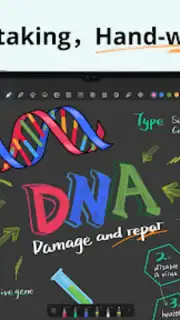
The core experience of StarNote is built on a foundation of exceptional responsiveness and control. The handwriting engine is engineered for ultra-low latency, meaning the ink appears under your stylus tip virtually instantly, eliminating the disorienting lag that breaks concentration. This is not just about speed; it's about precision. With full pressure sensitivity support, every stroke responds to your touch—press lightly for a fine line, apply more force for bold emphasis—granting you artistic and notetaking control that feels genuinely intuitive and authentic.
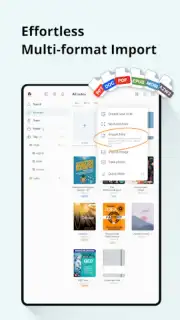
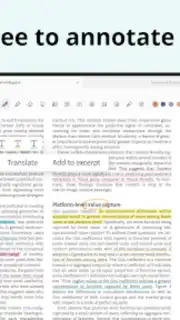
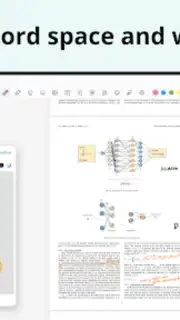
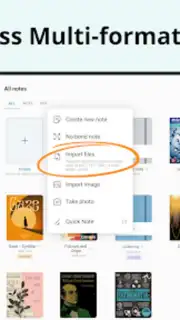
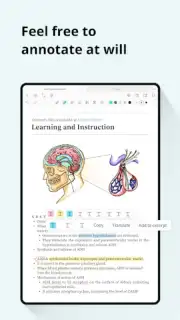
When your work involves documents, StarNote’s annotation toolkit becomes indispensable. You can import PDFs and other common file formats directly into the app’s workspace. Here, you are equipped to interact with your documents dynamically: highlight critical passages, add marginal comments with handwritten or text boxes, rearrange pages to suit your workflow, and even edit document margins for better note placement. This turns static files into interactive canvases for your analysis.
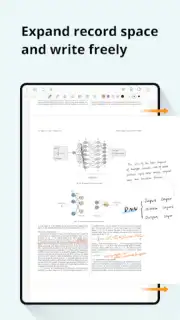
Organization is handled with a similar degree of thoughtful design. Your notes and documents aren't just dumped into a folder; they live within a smart structure. You can utilize dynamic templates—like Cornell note-taking systems, grid paper, or custom layouts—to give every new page a purposeful start. The infinite canvas feature liberates you from page boundaries, allowing for expansive mind maps and detailed sketches that can grow organically. Finding anything later is simplified through smart folders that auto-categorize, deep keyword search across all your content, and a clear tree-view structure for visual navigation.
A significant advantage is the focused, uninterrupted environment. The application operates with a strict no-advertising policy, ensuring your workflow remains clean and distraction-free. Core handwriting and PDF annotation tools are available in the free package, allowing you to fully test the fundamental experience. For users who require unlimited potential, a single, one-time payment unlocks the complete premium ecosystem. This includes an expanded library of advanced templates, all professional annotation features, and permanent access without any recurring subscriptions, making it a sustainable, long-term investment for your digital toolkit.
Key Features at a Glance
- Advanced Handwriting Engine: Experience ultra-low latency writing and drawing with full pressure sensitivity and stylus optimization for precise, natural-feeling input.
- Comprehensive PDF Annotation: Highlight text, add comments, rearrange pages, and edit document margins directly within imported PDFs and other files.
- Customizable Workspace: Utilize a wide array of templates (grids, Cornell, etc.) and an infinite canvas for mind mapping and unbounded sketching.
- Intelligent Organization: Manage projects with smart folders, powerful keyword search, and a structured tree-view for rapid navigation and retrieval.
- Cloud Sync & Offline Access: Your work securely synchronizes with supported cloud services and remains fully accessible offline for reliability anywhere.
- Distraction-Free Environment: Enjoy a completely ad-free interface with a robust free tier and a one-time premium upgrade option that removes all limits and subscriptions.
We suggest trying StarNote to experience a superior level of digital note-taking and document interaction designed specifically for the Android ecosystem.
Download the StarNote mobile app now to unlock your potential.
Please note: The application requires an internet connection for initial cloud synchronization and premium feature verification. The app is free to download and use with core features; optional in-app purchases are available for permanent access to premium tools and templates.
Information
| Version | 1.3.2.2 |
| Developer | StarNote |
| Requirements | Android Android + 10+ |
| Updated | 17.03.2026 |
| Size | 204.78 MB |
| Package | com.onyx.galaxy.global.note |
| Signature | 9275831eee76766f9bfb4b27a9f45e35 |
| Architecture | armeabi-v7a, arm64-v8a |


