


TeamViewer QuickSupport screenshots (5)
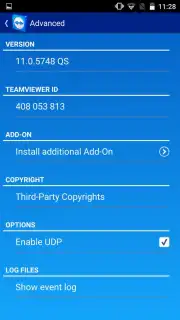
Description TeamViewer QuickSupport
What if you could control your mobile device directly from your computer?
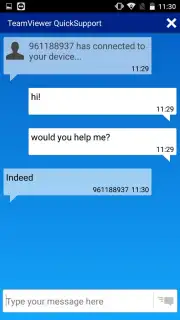
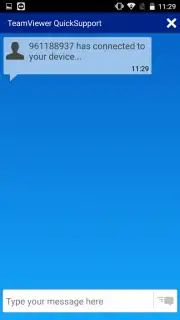
TeamViewer QuickSupport is a specialized remote access application designed to provide immediate support. Once installed on an Android device, it enables a secure connection to be established from a computer running the full TeamViewer software. This setup allows for complete remote control of the mobile device's interface, facilitating tasks like troubleshooting, file management, or guiding another user through a process in real time. The connection is initiated through a unique session ID generated by the QuickSupport app, ensuring that access is granted only with explicit permission.
Core Functionality and Security Model
The primary operational mechanic involves a one-time connection protocol. The app displays a numeric ID and a temporary password on the mobile device. Entering these credentials into the TeamViewer desktop client initiates a direct, encrypted link. This grants the remote operator a live view of the device's screen and the ability to interact with it using their own mouse and keyboard. All standard interactions are possible, including navigating menus, configuring settings, and managing installed applications. The session remains under the control of the device holder, who can terminate the connection instantly.
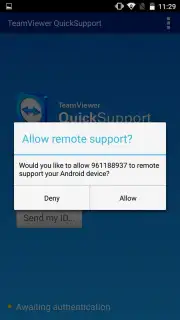
Security is managed through TeamViewer's established verification framework. Each session requires explicit, one-time authorization, and connections are secured with end-to-end encryption. This system is designed to prevent unauthorized access, ensuring that control is never ceded without the device user's direct consent. The utility of such a tool is significant for IT support scenarios, remote assistance for family members, or accessing one's own device when physical interaction is not possible.
- Enables full remote control of an Android device from any computer.
- Establishes connections securely via a unique, one-time session ID and password.
- Provides a live screen view and interactive input from the remote computer.
- Allows for comprehensive device management, including app installation and removal.
- Utilizes end-to-end encryption and requires explicit user consent for each session.
Download TeamViewer QuickSupport immediately to resolve mobile issues remotely!
Internet required. IAP available.
Information
| Version | 15.75.80 |
| Developer | TeamViewer |
| Requirements | Android Android + 12L+ |
| Updated | 17.03.2026 |
| Size | 26.41 MB |
| Package | com.teamviewer.quicksupport.market |
| Signature | 4ae33b07d8f862beda5efac713d68161 |
| Architecture | armeabi-v7a, arm64-v8a |


