

Termux: X11 screenshots (1)
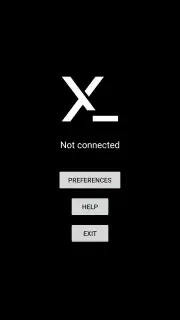
Description Termux: X11
Unlock a Full Linux Desktop on Your Phone, No Root Required
Imagine turning your Android phone into a portable Linux workstation. You want to run powerful graphical applications, edit code in a proper IDE, or manage servers with a full desktop interface, but the idea of complex rooting or laggy remote connections holds you back. What if you could bypass all that and run native Linux GUI apps directly on your device, with smooth performance and remarkable battery efficiency? That’s the precise magic Termux: X11 delivers. This isn't just another terminal emulator; it's the key that unlocks a complete graphical Linux environment inside your pocket, transforming how you think about mobile productivity and development.
Termux: X11 acts as a seamless bridge, an essential companion app to the standard Termux terminal. Once set up, it runs a high-performance X11 server directly on your Android system. This means every graphical application you install via Termux—from programming tools like VS Code and GIMP for image editing to full-fledged office suites—renders natively on your screen. You'll experience a fluidity that traditional VNC clients can't match, because there's no network overhead; the graphics are processed locally. The result is noticeably lower latency, buttery-smooth window movements, and a dramatic reduction in power consumption, letting you work or tinker for longer sessions. The setup is straightforward, requiring no special root permissions, and it integrates perfectly, giving you a powerful, self-contained development and multimedia station wherever you go.
This tool is built for performance and control. You'll appreciate the clean, ad-free experience powered by Turbo mode optimizations, ensuring resources are dedicated to your applications, not distractions. Beyond just launching apps, you can dive deeper with tools like proot-distro to install full Linux distributions and utilize GPU acceleration for demanding graphical tasks, truly maximizing your hardware's potential. It’s the ultimate alternative for developers, students, and tech enthusiasts who need desktop-grade tools on a mobile device.
Why Your Android Device Needs This Powerhouse
- Run native Linux GUI applications directly on Android with zero root access required.
- Experience superior performance with drastically lower latency and smoother graphics than VNC.
- Enjoy significantly better battery life as the local X11 server is highly optimized for efficiency.
- Expand your system effortlessly using proot-distro and GPU acceleration for full Linux distributions.
- Follow a simple setup process by installing the APK and running a few quick terminal commands.
Ready to transform your smartphone into a genuine Linux powerhouse? You can start this journey in minutes. The process is simple: get the Termux: X11 APK, install it, and within Termux, run pkg update && pkg install x11-repo && pkg install termux-x11-nightly. Remember to launch the Termux: X11 app before opening any GUI. If you ever encounter a "not connected" error, a quick force-stop and cache clear for both Termux and Termux: X11 in your Android settings typically resolves it instantly. Consider downloading Termux: X11 now to unlock a world of desktop applications and redefine what's possible on your mobile device.
Download the Termux: X11 mobile app now and start your portable Linux desktop today.
Internet required. IAP available.
Information
| Version | 1.03.01-3c4f675-26.03.25 |
| Developer | Termux Devs |
| Requirements | Android Android + 8.0+ |
| Updated | 17.03.2026 |
| Size | 4.78 MB |
| Package | com.termux.x11 |
| Signature | 31d49355a0cb585498aab40be822c3be |
| Architecture | arm64-v8a |


