


TradingView screenshots (6)
Description TradingView
Navigating Global Markets Requires a Comprehensive Charting Solution
For active traders and market analysts, the primary challenge is consolidating real-time data from dozens of global exchanges into a single, actionable interface. Manually switching between platforms for stocks, forex, and indices leads to fragmented analysis and missed opportunities. A professional tool must unify this data flow while providing deep technical analysis capabilities to support strategic decision-making across all asset classes.
Full Review: TradingView Mobile App Analysis
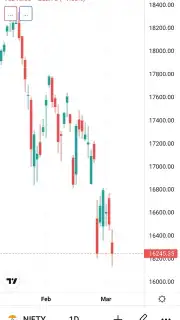
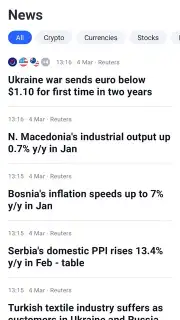
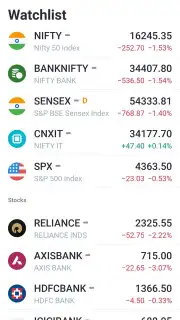
TradingView functions as a portable terminal for financial market analysis, delivering institutional-grade charting tools to a mobile device. The platform’s core infrastructure aggregates live price data from over 50 major exchanges worldwide, including the NYSE, NASDAQ, LSE, Euronext, HKEx, MOEX, and the ASX. This integration allows for simultaneous tracking of equities, indices, cryptocurrencies, and forex pairs on a unified dashboard. The app solves the problem of market fragmentation by providing a centralized source for global financial data.
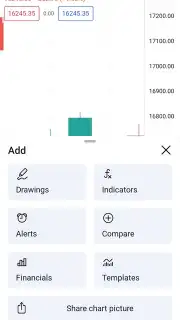
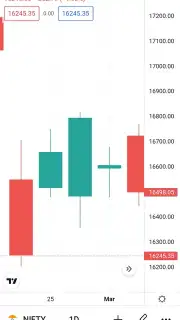
The technical analysis toolkit is extensive, designed for both detailed inspection and broad market overviews. Users can apply dozens of drawing tools, including Fibonacci retracements, trend lines, and geometric shapes directly onto interactive charts. Over 100 built-in indicators, such as moving averages, RSI, and Bollinger Bands, can be layered for multi-factor analysis. The charting engine supports multiple timeframes, from tick data to monthly intervals, and allows for seamless zooming to examine specific price action or volatility events in minute detail. All annotations and analysis are saved in the cloud, syncing automatically across desktop and mobile devices.
Strategy development and testing are facilitated through the platform’s Pine Script integration. Users can modify existing technical indicators or code custom strategies from scratch, then backtest them against historical data directly within the app. This feature enables the simulation of trading hypotheses under various market conditions without financial risk. The interface, while feature-dense, maintains an intuitive layout: chart navigation, watchlists, and social commentary panels are accessible from a persistent sidebar, reducing the learning curve for new users while keeping advanced tools within reach for experts.
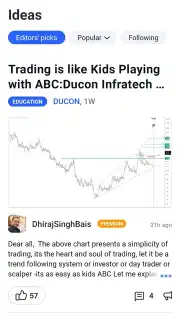
The application serves a broad user base, from retail investors monitoring a personal portfolio to professional traders executing complex strategies. Its utility lies in replacing multiple disparate tools—a data feed, a charting package, and a screener—with one cohesive system. The optional Turbo subscription removes any promotional content and enhances data delivery speed, but the core functionality remains robust in the standard version. The social features, which allow users to publish chart ideas and follow analyses from other traders, add a collaborative dimension typically absent from traditional analysis software.
- Global multi-exchange data feed
- Advanced technical analysis toolkit
- Custom strategy scripting and backtesting
- Synced cloud charts and watchlists
Download TradingView Mobile App Now
Consolidate your market analysis and execute data-driven strategies with direct access to global exchanges. Get your professional charting terminal today.
Internet required. IAP available.
Information
| Version | 1.20.69.1.1002100 |
| Developer | TradingView Inc. |
| Requirements | Android Android + 8.0+ |
| Updated | 17.03.2026 |
| Size | 53.27 MB |
| Package | com.tradingview.tradingviewapp |
| Signature | 1a73425041aa87d0130326e0b9dfa229 |
| Architecture | armeabi-v7a, arm64-v8a, x86_64 |


