

Traffic Monitor Plus screenshots (5)

Description Traffic Monitor Plus
The Unseen Pulse of Your Digital Life
Every notification, every stream, every silent background update is a conversation your device is having with the world. For years, this vital flow of data has been invisible, a mystery that only manifests in sudden slowdowns or depleted data caps. Traffic Monitor Plus makes this hidden language of your connection not just visible, but comprehensively understandable, transforming raw numbers into a clear narrative of your phone's activity.
A Forensic Dashboard for Your Network Activity
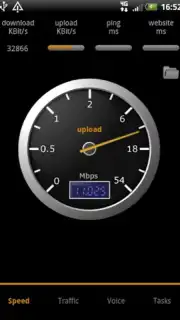
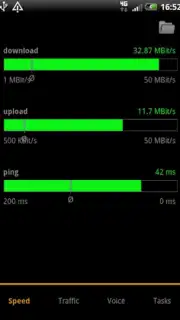
This application functions as a persistent, system-level observer that catalogs every byte sent and received. Upon launching, you are presented with a real-time graph that plots your upload and download speeds against a timeline, providing an immediate visual pulse of your current connection health. The core interface is built around a detailed, sortable list of every application on your device, each accompanied by its individual data consumption figures for the current session, day, month, and beyond. Tapping into any app entry reveals a deeper breakdown, allowing you to see which servers it is communicating with and the volume of data exchanged, which is particularly useful for identifying unexpected background activity from social platforms or messaging services. A built-in firewall tool, accessible with appropriate permissions, offers granular control, enabling you to block network access for specific apps entirely over mobile data, Wi-Fi, or both, giving you ultimate authority over your data plan and privacy.
Engineered for Clarity and Control
The utility of Traffic Monitor Plus is anchored in its precision and user-centric design. The presentation of complex network metrics is exceptionally clean, avoiding technical jargon in favor of immediately actionable information. Performance is a key tenet; the app's own footprint is minimal, ensuring its monitoring does not become part of the problem it aims to solve. This combination of deep technical capability and streamlined interface makes it an indispensable tool for anyone from the data-conscious consumer to the power user troubleshooting connectivity issues.
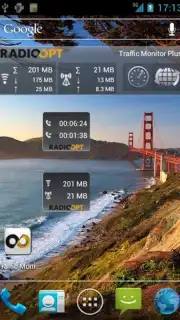
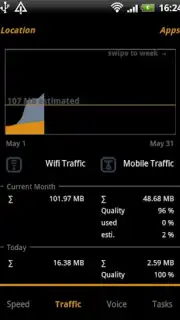
- Real-Time Speed Graph & Usage Overview: Visualize your live upload/download traffic and track total data use for customizable periods.
- Per-App Data Consumption Breakdown: See exact data usage for every application, sorted by period, with detailed process-level insights.
- Configurable Application Firewall: Block any app's internet access on cellular or Wi-Fi networks directly from the monitoring interface.
Don't let your data usage be a blind spot. Take definitive control of your device's network activity and optimize your connection today.
Download Traffic Monitor Plus now!
Internet required. IAP available.
Information
| Version | 9.2.5 |
| Developer | RadioOpt GmbH |
| Requirements | Android Android + 5.0+ |
| Updated | 17.03.2026 |
| Size | 4.16 MB |
| Package | com.radioopt.tmplus |
| Signature | 876811fc7e708586f172bc0409be1023 |
| Architecture | universal |


