

Transdroid screenshots (8)
Description Transdroid
A Direct Link to Your Remote Torrents, Without the Desktop Hassle
Transdroid provides a streamlined, no-frills interface for managing torrent downloads on remote clients directly from your Android device. It solves the fundamental inconvenience of needing to be physically present at your desktop or server to add, prioritize, or monitor torrent files. By connecting to clients like Transmission, µTorrent, qBittorrent, or Deluge, it transforms your phone into a universal remote control for your downloading infrastructure. This is not a torrent client itself, but a sophisticated management dashboard that bridges the gap between your mobile life and your always-on download setup.
Features and Core Mechanics
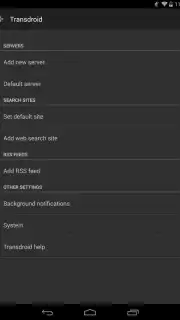
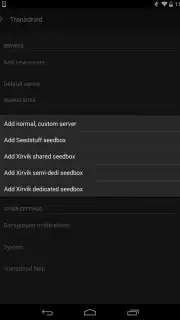
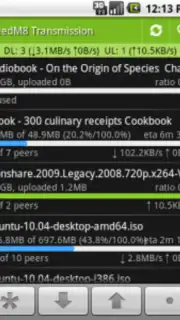
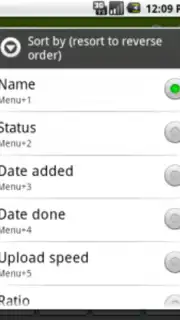
The app operates on a principle of universal compatibility and direct communication. You configure connections to your torrent clients—either on your local network via LAN or remotely via encrypted protocols—by entering their access details. Once linked, the full suite of management tools becomes available. You can add new torrents by submitting .torrent files from your device storage or by providing direct Magnet links copied from your browser. The interface presents a clean list of all active, queued, and completed downloads on the remote client, displaying essential metadata such as progress percentage, download/upload speeds, ETA, and file size.
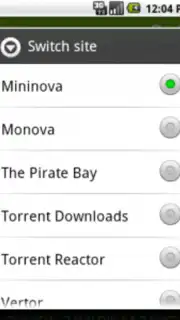
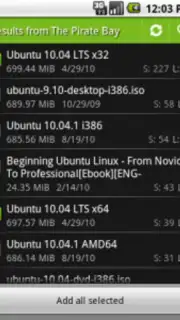
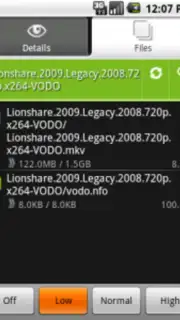
Beyond basic monitoring, Transdroid allows for granular control. You can pause or resume individual downloads, adjust their priority within the queue, and force a re-check of file integrity. For completed items, you have the option to initiate seeding or stop it entirely. The search functionality is a particularly powerful tool, integrating with major torrent indexers; you can query for content directly within the app and send desired results to your remote client with a single tap, completely bypassing the desktop. The layout is information-dense yet logically organized, prioritizing real-time data and actionable buttons over decorative graphics.
Key Advantages
- Universal Client Support: Connects seamlessly with over a dozen popular torrent daemons and servers, making it a single solution for heterogeneous setups.
- Local and Remote Access: Manages downloads on your home network or, with proper configuration, securely from anywhere with an internet connection.
- Integrated Search Aggregation: Queries multiple torrent trackers simultaneously from within the app, streamlining the discovery-to-download pipeline.
- Efficient and Lightweight: Consumes minimal device resources, functioning as a pure control panel that offloads all heavy processing to your remote server or PC.
We suggest trying Transdroid if you maintain a dedicated downloading system and seek to liberate its management from your desktop chair.
Download mobile app now
Note: A stable internet connection is required for remote management. This app facilitates control of third-party torrent clients and does not host content. Users are responsible for complying with all applicable laws regarding downloaded material. Some features may require configuration on the remote client.
Information
| Version | 2.5.4 |
| Developer | Transdroid |
| Requirements | Android Android + 2.2.x+ |
| Updated | 17.03.2026 |
| Size | 2.61 MB |
| Package | org.transdroid |
| Signature | 7b77f7022f72e775206aed05231ea5fc |


