

TubeMate YouTube Downloader screenshots (21)














Description TubeMate YouTube Downloader
Unlock Direct Downloads from Over a Dozen Major Platforms
TubeMate YouTube Downloader provides a direct technical solution for saving video and audio content to local storage. The application supports a wide range of multimedia platforms including YouTube, Vimeo, Facebook, and SoundCloud. It functions by parsing available streams from these services, allowing users to select specific formats and resolutions for download. This process converts online media into local files stored on your Android device, enabling playback without an active internet connection. The core mechanism bypasses the need for continuous streaming by providing permanent file access.
Core Functionality and Operational Workflow
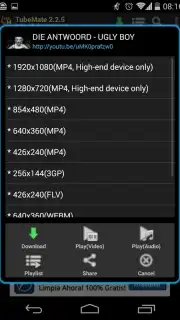
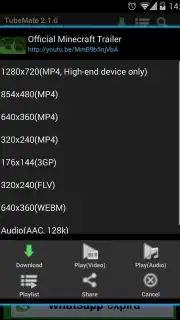
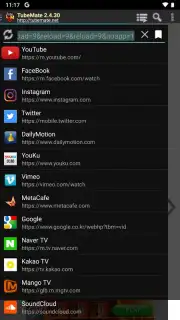
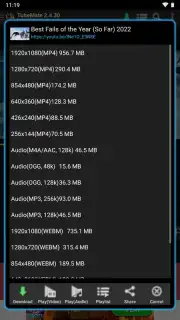
The application interface integrates a web browser for direct navigation to supported content sites. A dropdown menu provides a full catalog of compatible platforms, encompassing major social networks and video hubs. The download process is initiated by tapping the green arrow button displayed on the interface when a compatible video or audio page is loaded. This action generates a context menu listing all available download options, which are dynamically populated based on the source portal's available streams. Users proceed by selecting their preferred file parameters from this list to commence the download to designated storage.
Technical Specifications and Format Support
The utility distinguishes itself through the granularity of its output options. For video content, available container formats typically include MP4, OGG, and WEBM, with MP3 available for audio extraction. Each format offers multiple quality tiers, with resolutions ranging from standard definition up to 1080p and 4K UHD where supported by the source. Higher resolutions result in proportionally larger file sizes. For audio-only MP3 downloads, bitrate options commonly include 48kbps, 128kbps, and 256kbps, allowing a balance between audio fidelity and storage consumption. The selection directly correlates to the source's encoding and the user's storage capacity.
Configuration and Advanced Management Settings
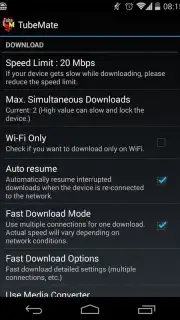
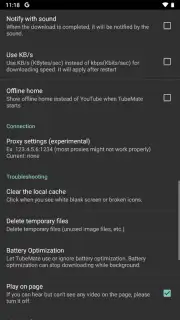
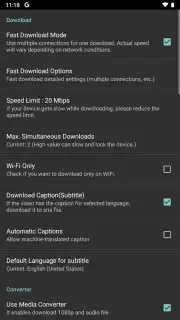
A settings menu in the upper-right corner of the interface provides control over download behavior. Users can restrict downloads to Wi-Fi networks only or permit the use of mobile data. The application includes a bandwidth throttling tool to set a maximum download speed, preventing network congestion for other device functions. Storage paths are fully customizable, with separate default directories configurable for video and audio files. An additional utility enables the automatic download of available subtitles in SMI format, saved alongside the corresponding video file for synchronized offline playback.
- Download from YouTube, Facebook, Vimeo
- Choose MP4, MP3, WEBM, OGG formats
- Select quality from 48kbps to 4K
- Custom storage and network settings
This application is a functional tool for archiving multimedia on Android devices, operating with minimal required configuration. Its utility is based on direct access and format conversion for offline use.
Limited Offer: Exclusive Access for First Users
Download TubeMate YouTube Downloader now to build your permanent offline media library. This version provides immediate access to high-resolution downloads—secure your copy today before access terms change.
Internet required. IAP available.
Information
| Version | 4.34.934 |
| Developer | Devian Studio |
| Requirements | Android Android + 4.1, 4.1.1+ |
| Updated | 17.03.2026 |
| Size | 24.78 MB |
| Package | devian.tubemate.home |
| Signature | 03f6f10afd257e023288d079e3035955 |
| Architecture | armeabi-v7a, arm64-v8a |


