

Vanced screenshots (7)
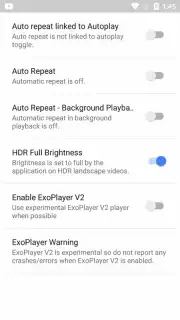

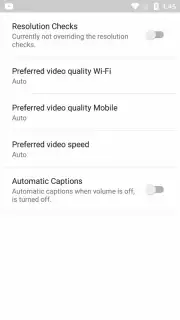

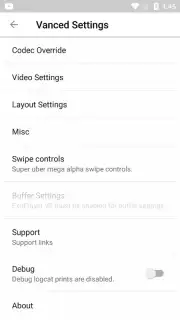

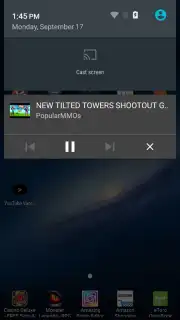
Description Vanced
Imagine a YouTube experience stripped of its most persistent friction points—the intrusive ads, the inability to listen with your screen off, the hidden dislike counts. This is not a hypothetical premium tier; it’s the operational reality of Vanced, a modified application that layers a suite of powerful utilities over the core YouTube platform. Developed by Team Vanced, this tool functions as a comprehensive enhancement module, transforming passive viewing into a controlled, feature-rich media session. It addresses specific user grievances with surgical precision, though it notably omits one often-requested capability: direct video downloads.
A Technical Overview of Enhanced Playback Controls
The application’s primary value is its reclamation of the viewing environment. Vanced systematically blocks all advertisement formats native to YouTube, including pre-roll and mid-roll video ads, as well as banner advertisements interspersed in the feed and comment sections. Its more advanced Turbo ad-blocking protocol can detect sponsor segments integrated directly into video content by creators, automatically skipping these sections—a feature that can be manually disabled for users who wish to support creators through ad views. Beyond ad removal, Vanced restores critical playback autonomy. It enables background audio playback, allowing videos to continue as audio streams when switching to other apps or turning the screen off. Furthermore, it supports true Picture-in-Picture (PiP) mode, letting a minimized video player float above other applications for multitasking.
Interface Customization and Restored Metrics
Vanced extends its modifications to the user interface and informational layers, offering both quality-of-life tweaks and restored data points. A notable reintroduction is the public dislike counter on videos, a metric officially removed by YouTube. This provides a more transparent signal of community sentiment alongside likes. For playback itself, the app introduces intuitive gesture controls: swiping vertically on the left side of the screen adjusts brightness, while the same motion on the right side controls volume, eliminating the need to fumble for physical buttons. It also allows users to force the highest available video resolution—including 4K—regardless of their device screen's native capabilities, ensuring the stream quality is limited by connection speed, not software defaults.
- Comprehensive Ad Blocking: Eliminates all video ads, banners, and can auto-skip in-video sponsor segments.
- Background & PiP Playback: Listen to audio with screen off or watch in a floating window over other apps.
- Gesture Controls & Resolution Forcing: Swipe gestures for brightness/volume and the ability to set playback resolution up to 4K.
The combination of these features creates a distinctly streamlined and user-empowered version of YouTube. To implement it, users must first install the separate Vanced microG package to handle authentication, followed by the main Vanced APK. This process unlocks a level of control and a clutter-free environment that the official app does not provide.
Stop compromising with a fragmented viewing experience. Take direct control of your media player today.
Download the Vanced mobile app now!
Disclaimer: This application requires an internet connection. The installation of external APK files may involve steps outside of official app stores. Please ensure you download from the official source.
Information
| Version | 18.21.34 |
| Developer | Team Vanced |
| Requirements | Android Android + 8.0+ |
| Updated | 17.03.2026 |
| Size | 63.58 MB |
| Package | com.vanced.android.youtube |
| Signature | ea7b533e1dbebbb450ce5e52948caabc,367e529b09fc59409f856de6d1757efc |
| Architecture | arm64-v8a |


