


VectorMotion screenshots (14)
Description VectorMotion
A Professional-Grade Vector Animation Suite That Operates Without Distraction
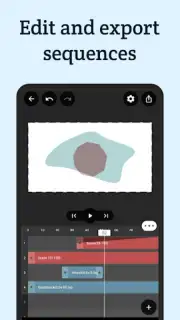
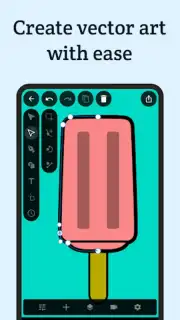
VectorMotion by ReMotion Apps establishes itself as a focused, ad-free environment for creating detailed vector graphics and complex animations directly on a mobile device. It bypasses the limitations of simpler design tools by offering a professional workflow centered around layer-based editing and an advanced timeline, making it a viable mobile companion for illustrators, motion designers, and dedicated hobbyists. The application’s core strength lies in its seamless integration of illustration and animation, allowing users to build a multi-scene project from scratch, save progress at any point, and return to continue working without loss of fidelity or context. This creates a surprisingly robust mobile studio for vector work, where every shape, text element, and imported image can be precisely manipulated and brought to life.
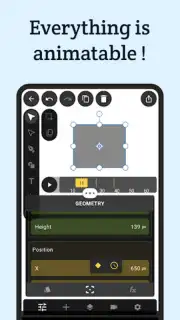
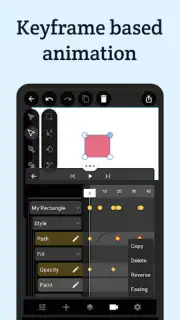
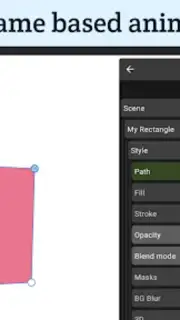
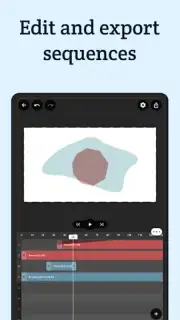
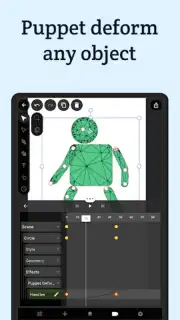
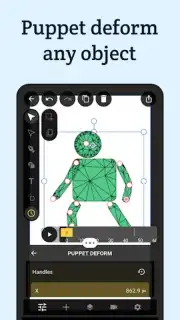
The toolset is comprehensive, built for depth rather than just accessibility. The layer editor forms the foundation, providing granular control over individual elements—be they primitive shapes, complex grouped objects, or raster images. Each layer’s properties, from fill and stroke to opacity and blend modes, are fully adjustable. The animation timeline is where VectorMotion truly distinguishes itself from basic graphic apps. It employs a keyframe-based system, granting frame-accurate control over an object’s position, rotation, scale, and other attributes over time. The inclusion of easing parameters (like ease-in and ease-out) is crucial, enabling the creation of natural, polished motion rather than robotic transitions. For character and organic shape animation, the puppet warp deformation tool provides an intuitive method to set articulation points and create fluid movement.
Expanding Creative Possibilities with Advanced Vector Manipulation
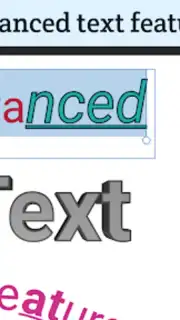
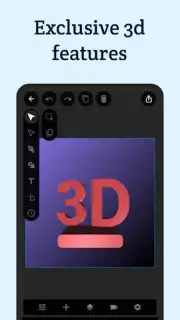
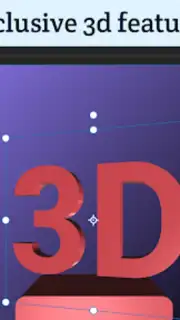
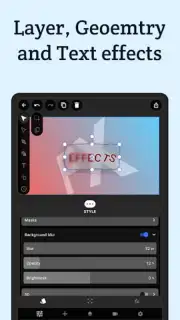
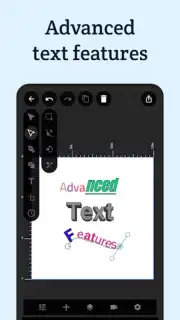
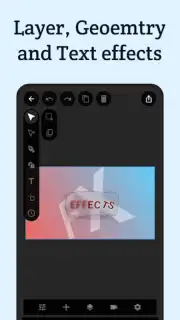
Beyond the essential animation timeline, VectorMotion packs a suite of advanced features typically found in desktop software. The path operations tool allows for professional vector editing through operations like union, subtract, intersect, and exclude, enabling the creation of complex custom shapes from simpler ones. Typography is treated with similar seriousness; the text editor supports custom font imports, offers range-based effects for styling individual characters, and includes the ability to set text along a custom path, which is essential for dynamic logo animations and title sequences. Furthermore, masking modes, non-destructive filters like blurs and drop shadows, and basic 3D transformation capabilities allow for adding depth and sophisticated finishing touches to any composition.
The application also streamlines asset management. An integrated library system helps organize imported fonts, images, and color palettes. For images, the app includes practical utilities like a background remover, crop tools, and tagging functions. When a project is complete, VectorMotion supports a wide array of export formats, ensuring the work is usable anywhere. Animations can be rendered as MP4 video or GIF, while static frames and vector assets can be exported as PNG, JPEG, SVG, or even multi-page PDF documents, making the app suitable for everything from social media content to print-ready vector illustrations.
- Layer-Based Precision Editing: Work with shapes, text, and images on independent layers, each with fully customizable properties for fill, stroke, and blending modes.
- Professional Keyframe Animation Timeline: Create smooth, complex animations using frame-by-frame control with easing functions and multi-scene project management.
- Advanced Vector & Text Tools: Utilize path operations, puppet warp, text-on-a-path, and custom font support for intricate design and character animation.
We suggest trying VectorMotion if your mobile design work requires the precision of vector graphics combined with professional animation controls, all within an uninterrupted, ad-free interface.
Download the VectorMotion mobile app now to start building detailed vector animations on your device.
Heads up: you'll need wifi for initial asset downloads and font imports. Some advanced asset library features and export options require a premium upgrade.
Information
| Version | 1.2.2 |
| Developer | ReMotion Apps |
| Requirements | Android Android + 6.0+ |
| Updated | 17.03.2026 |
| Size | 20.07 MB |
| Package | app.vectormotion.mobile |
| Signature | 51f37e748da9952de66567db76c52ae5 |
| Architecture | armeabi-v7a, arm64-v8a |


