


Video and GIF Memes screenshots (7)
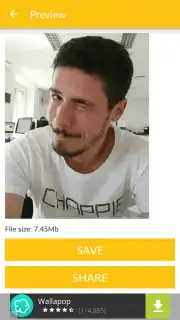
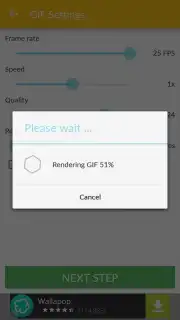
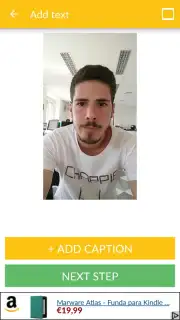
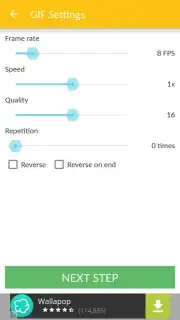
Description Video and GIF Memes
Turn Your Favorite Moments into Viral Memes in Seconds
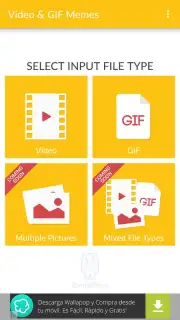
Imagine scrolling through your camera roll and finding that perfect, hilarious three-second clip from a friend’s birthday. You know it would make the ultimate reaction GIF for your group chat, but the full video is two minutes long. Manually trimming and converting feels like a chore. What if you could isolate that golden moment and turn it into a seamless, looping GIF with just a few taps? Or perhaps you have a classic GIF saved that needs to be revived as a short video with a witty caption. This is the precise creative freedom that lands right in your hands.
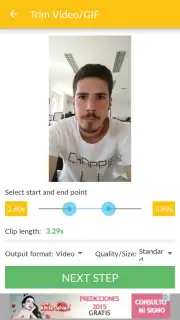
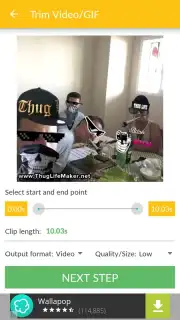
The process is designed for instant gratification. You select any video from your gallery, and a simple slider lets you pinpoint the exact start and end of the clip you want to immortalize. Transform a minute-long funny pet video into a sharp, five-second GIF that captures the pure comedic timing. The control is intuitive, putting you in the director’s chair without any complex editing timelines or confusing menus. You focus on the creative part—choosing the funniest, most expressive, or most dramatic snippet—while the app handles the technical conversion seamlessly.
Once your clip or GIF is selected, you enter a customization suite. Here, you fine-tune the output to ensure it looks perfect wherever you share it. Adjust the frames per second for smoother animation or a more classic, choppy GIF aesthetic. Modify the resolution to keep file sizes manageable without sacrificing clarity. You can set the clip to loop continuously, speed it up for added comedic effect, or reverse it for a surreal twist. These tools ensure your creation is optimized, whether for a messaging app, social media story, or forum signature.
Add Your Signature Wit with Custom Text
The true power of a great meme often lies in its caption. This functionality is integrated directly into your workflow. After crafting your visual, you can overlay text anywhere on the frame. A simple tap lets you position your caption, choose from a selection of clear, bold fonts, and pick a color that pops against the background. Whether it’s a sarcastic comment at the top or a dramatic quote at the bottom, you can create the complete, shareable package in one continuous, fluid process. The final product is a polished, personalized meme that feels professionally made, yet it took only moments of your time.
The appeal lies in this focused simplicity. The interface is clean and distraction-free, guiding you from selection to export without overwhelming you with unnecessary filters or effects. It specializes in doing one thing exceptionally well: converting between video and GIF format with precision and ease. The output quality is consistently high, ensuring your creations look sharp and load quickly. It’s the ideal tool for anyone who communicates with humor and wants a reliable, fast utility to build their meme library.
- Instant Video to GIF Conversion
- Custom Quality & Speed Controls
- Overlay Custom Text & Fonts
- Simple, Intuitive Editing Interface
Start creating and sharing your viral content today. Download the mobile app now and never miss a chance to turn a moment into a meme.
Internet required. IAP available.
Information
| Version | 1.1214 |
| Developer | ZomboDroid |
| Requirements | Android Android + 7.0+ |
| Updated | 17.03.2026 |
| Size | 81.01 MB |
| Package | com.zombodroid.videogifmemefreegplay |
| Signature | d64c01f9b63d58b29cc1947bdb65927c |
| Architecture | armeabi-v7a, arm64-v8a |


