

Video Converter Pro screenshots (5)
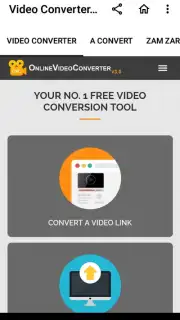
Description Video Converter Pro
Ever had a perfect video stuck in the wrong format, just when you need to share it? Or a brilliant clip that’s too large to send? Video Converter Pro is your on-the-go studio, transforming any video file into exactly what you need, directly on your Android device. Stop wrestling with compatibility issues and start sharing your moments in seconds.
Core Conversion & Editing Tools
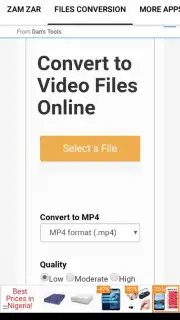
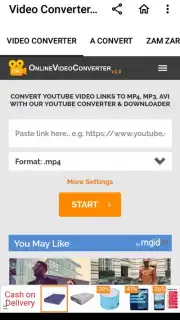
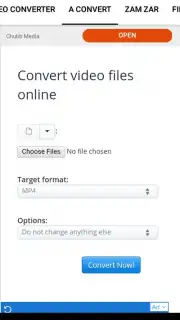
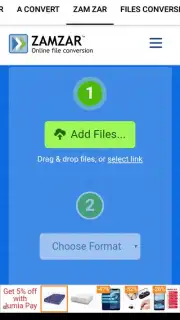
This app puts professional-grade video processing in your pocket. It’s built to handle a wide array of video and audio formats, allowing you to convert files to popular types like MP4, MOV, AVI, MKV, and MP3 for audio extraction. The process is designed for speed and simplicity: select your video, choose your target format and quality settings, and let the powerful converter engine do the rest. Beyond basic conversion, you get a suite of handy editing tools to trim unwanted sections, merge multiple clips into one seamless video, compress large files for easy messaging, and even adjust basic parameters like resolution and frame rate. It’s a comprehensive toolkit for managing and optimizing your video library.
Key Advantages for a Smooth Experience
The strength of Video Converter Pro lies in its user-focused design and robust performance. The interface is clean and intuitive, making advanced video tasks feel straightforward without a steep learning curve. It processes files locally on your device, giving you control over your content and privacy. The converter is optimized for efficiency, aiming to maintain high output quality while managing file size effectively, so you get great-looking videos that are easy to share.
- Multi-Format Support: Convert between all major video and audio formats like MP4, AVI, MOV, MKV, and MP3.
- Built-in Video Editor: Trim clips, merge videos, compress file sizes, and adjust resolution without leaving the app.
- Fast Batch Processing: Queue and convert multiple videos at once to save time and streamline your workflow.
We suggest trying Video Converter Pro to effortlessly handle any video task and free up space on your phone. Consider downloading it today and turn your device into a powerful media workstation.
Heads up: you'll need wifi for downloading the app and accessing any cloud-based features. Some advanced editing tools or high-speed conversion modes may be part of a premium upgrade. Requires Android 4.0.3 or above.
Information
| Version | 9.5.2 |
| Developer | Jhusttimi |
| Requirements | Android Android + 4.0.3, 4.0.4+ |
| Updated | 17.03.2026 |
| Size | 4.38 MB |
| Package | com.jhusttimi.videoconverterpro |
| Signature | 80e8c618ddb86472fad27098d8a62000 |


