

Video Converter screenshots (5)
Description Video Converter
A Practical Look at Video Converter by Cubic3Solution
In the daily workflow of managing digital content, one often encounters a simple yet frustrating obstacle: a video file in the wrong format. It won't play on a specific device, refuses to upload to a platform, or is simply too large to share conveniently. This is where a tool like Video Converter by Cubic3Solution enters the frame, not as a flashy editing suite, but as a focused utility designed to solve that exact problem. My analysis of version 2.0 reveals an application built around a core premise of direct, format-shifting functionality, providing a streamlined path from an incompatible file to a usable one. It operates with a clear understanding of its role, prioritizing accessibility and a straightforward conversion process over complex creative controls.
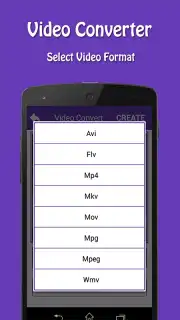
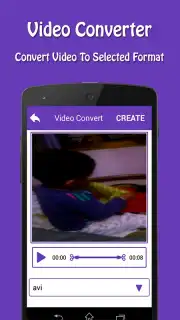
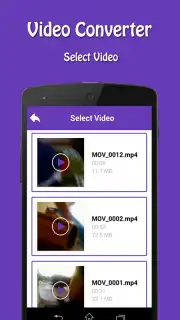
The application's mechanics are built for immediacy. Upon launch, it grants direct access to the device's internal storage and any inserted SD card, scanning for video files without unnecessary preamble. The conversion workflow is a linear three-step process: selection, optional trimming, and output formatting. The trimming tool is a basic but effective timeline editor, allowing you to set precise in and out points to remove unwanted segments or create shorter clips, which is a logical pre-conversion step for managing file size. The most critical action happens in the bottom menu, where you select from a comprehensive list of target formats. This library, including AVI, FLV, MP4, MKV, MOV, MPG, MPEG, and WMV, covers the vast majority of codecs used by media players, smart TVs, and social platforms. A notable integration is the built-in sharing function, which lets you send a newly converted file directly to social media apps or messengers, effectively bypassing the need to first save to a separate hosting service.
Core Feature Analysis
- Extensive Format Support: Converts between key formats like AVI, MP4, MKV, MOV, and WMV for broad device and platform compatibility.
- Integrated Video Trimmer: Includes a timeline editor to cut unwanted sections or shorten clips before conversion to optimize size.
- Dual Storage Access: Seamlessly reads video files from both your device's internal memory and any external SD card storage.
- Direct Social Sharing: Exports converted videos directly to social media and messaging apps from within the application interface.
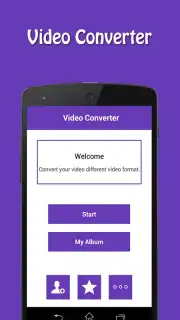
- Organized Output Management: All processed files are automatically saved in a dedicated "My Album" folder for easy retrieval and management.
The utility of Video Converter is most apparent in specific, practical scenarios: preparing a video for a presentation device that only accepts MPG, reducing the size of a MOV file from a camera for email, or quickly converting an MKV for playback on a tablet. Its value lies in this focused execution.
Get your bonus of hassle-free video compatibility and start converting today.
Download mobile app now
Heads up: you'll need wifi for optimal performance with larger files. Some advanced features and an ad-free experience are part of the optional Turbo upgrade.
Information
| Version | 2.0 |
| Developer | Cubic3Solution |
| Requirements | Android Android + 4.1, 4.1.1+ |
| Updated | 17.03.2026 |
| Size | 9.8 MB |
| Package | com.cubic3.videoconverter |
| Architecture | armeabi-v7a |


