


Vivaldi screenshots (23)










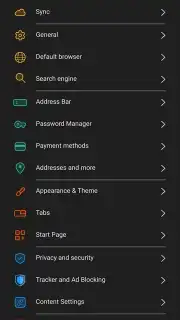
Description Vivaldi
A Browser Engineered for Control
In the landscape of mobile browsers, users often face a compromise between simplicity and capability. The Vivaldi browser, developed by Vivaldi Technologies, approaches this challenge from a different angle. Built on the Chromium engine, it provides a foundation of compatibility while layering on a suite of tools designed for users who manage complex workflows across devices. This review examines the operational mechanics of Vivaldi for Android, focusing on its architecture for tab management, privacy enforcement, and deep interface customization, assessing its position within the navigation and tools category.
Core Functional Analysis
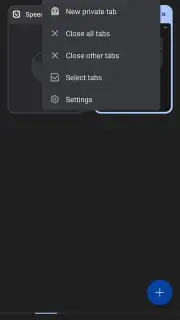
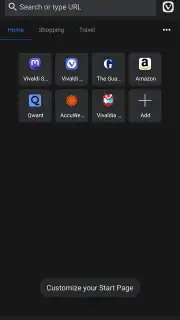
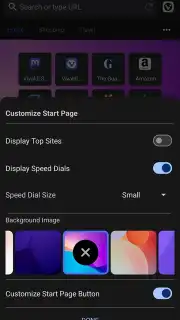
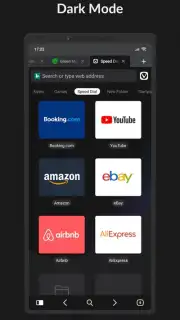
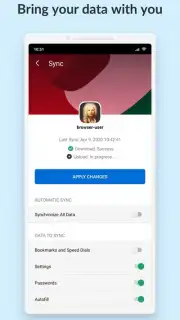
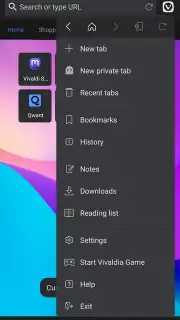
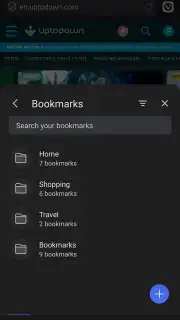
Vivaldi’s primary differentiator is its multi-layered approach to user agency. Navigation begins with an address bar that doubles as a search aggregator, allowing direct queries to specific engines using keyword shortcuts. Tab management extends beyond linear lists to include a visual grid view and the ability to create tab groups, or "stacks," for project-based organization. A synchronization engine works across platforms, unifying bookmarks, notes, saved passwords, and even open tabs between mobile and desktop instances. The browser treats the new tab page as a configurable dashboard, where background imagery, speed dial entries, and information panels can be added or removed.
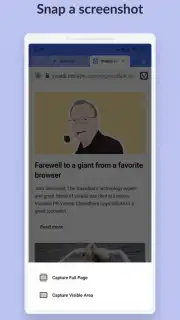
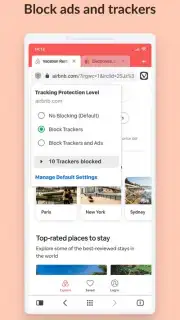
Privacy controls are not presented as an afterthought but are integrated into the initial setup. The built-in ad and tracker blocker operates on three configurable levels, from permissive to strict. This is supplemented by a private browsing mode that withholds history and cookie data, and the option to set privacy-centric search engines like DuckDuckGo as the default. For content interaction, Vivaldi includes a translation tool that processes text locally where possible, a full-page screenshot capture utility, and a built-in QR code scanner for link transfer.
Detailed Feature Overview
- Advanced Tab & Session Management: Organize tabs into collapsible groups, sync open sessions across devices, and utilize a visual grid or swipe gestures for navigation.
- Integrated Privacy Suite: Features a multi-level built-in ad blocker, tracker prevention, and a private browsing mode that withholds local history and cookie storage.
- Deep Interface Customization: Modify the browser's theme, accent colors, button placement, and the layout of the start page with background images and panel widgets.
- Cross-Platform Synchronization: Securely syncs bookmarks, notes, history, passwords, and even typed browser settings between mobile and desktop versions.
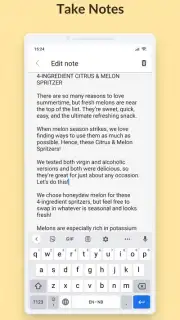
- Productivity Toolkit: Includes a private translate function, full-page screenshot capture, QR code scanner, reading mode, and a native notes manager.
Download the Vivaldi mobile app now to access a limited-time offer for new users, granting exclusive early access to upcoming beta features for enhanced productivity.
Disclaimer: This application requires an active internet connection for core browsing functionality. It may contain optional in-app purchases. Data usage varies based on content loaded. User data is handled as described in the developer's privacy policy. Some features have age restrictions. Ensure your device meets the current system requirements for optimal performance.
Information
| Version | 7.8.3931.167 |
| Developer | Vivaldi Technologies |
| Requirements | Android Android + 10+ |
| Updated | 17.03.2026 |
| Size | 307.28 MB |
| Package | com.vivaldi.browser |
| Signature | d2be3d3da026d504a7ec9f52a2de54a3,8cd3457cefa9b299746220505de9078c |
| Architecture | arm64-v8a |


