


VLC Remote Free screenshots (8)
Description VLC Remote Free
Imagine settling into your preferred viewing position, only to realize the media playback controls are inconveniently located on a distant computer. This common disruption to the home theater experience is precisely what VLC Remote Free is engineered to solve. This utility transforms a standard Android smartphone or tablet into a dedicated, wireless remote control for the VLC media player desktop application. It establishes a seamless bridge between your mobile device and your primary media center, whether that's a laptop connected to a TV or a dedicated HTPC, allowing for comprehensive playback management from anywhere within your network.
Core Functionality and Setup Process
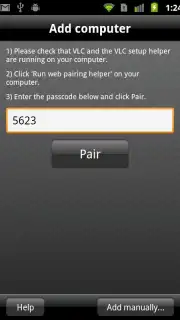
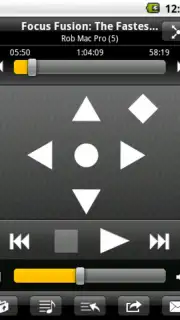
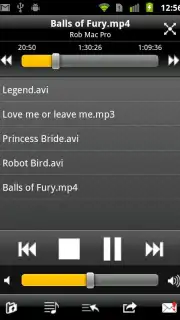
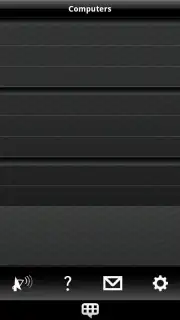
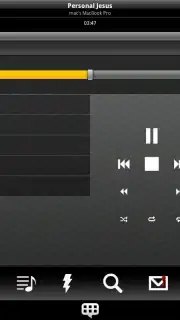
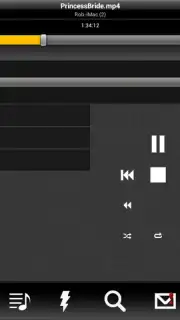
The application's primary operation hinges on creating a network link between VLC on your computer and the app on your Android device. An integrated setup assistant automates the configuration of VLC's web interface, which is the underlying technology that enables the remote control functionality. This process typically involves enabling a single setting within VLC's preferences. Once the connection is established, the app presents a control dashboard. This interface provides tactile buttons for all fundamental playback commands: play, pause, stop, and track skipping. It also includes a seek bar for precise navigation through media files and a dedicated volume control slider, eliminating the need to adjust system volume separately.
Detailed Media Playback Management
Beyond basic controls, VLC Remote Free offers granular management of media playback settings, which is particularly useful for video content. Users can directly toggle subtitles on or off from the remote interface. For video files, the application provides controls for adjusting the aspect ratio to correct scaling issues and for cycling through available audio tracks. A notable feature is the ability to introduce an audio delay or advance, a crucial tool for synchronizing audio with video when a slight lag is present. When playing DVDs or DVD image files, the app supports navigation through DVD menus, chapters, and titles, replicating the functionality of a physical DVD remote.
Interface Design and Version Comparison
The user interface is designed for clarity and immediate recognition. Buttons are sized for reliable touch input and logically grouped by function. The application is offered in a 'Lite' model, which is the version referenced as VLC Remote Free. This version includes all the remote control functionalities described but operates in a demonstration mode for browsing media libraries on the host computer, prompting users to consider the full, paid version for unrestricted file browsing and additional features. This model allows users to fully test the core remote control capability before committing to a purchase.
Industry Recognition and Practical Utility
The utility has been recognized within the software community, having received an award such as the Handster's Best Software Award in the multimedia category. User feedback often highlights the reliability of the connection and the convenience of consolidating control into a personal device already at hand. It effectively solves a specific niche problem—remote controlling a powerful, free media player—without requiring additional hardware.
- Wireless VLC media player control
- Automated one-touch connection setup
- DVD menu and subtitle management
- Audio delay synchronization tool
For anyone who regularly uses VLC Media Player as their primary desktop playback solution and seeks to untether themselves from the keyboard, this app provides a specialized and efficient tool. Consider downloading VLC Remote Free to add a layer of convenience to your media consumption setup.
Internet required. IAP available.
Information
| Version | 5.58 (4978) |
| Developer | Hobbyist Software Ltd |
| Requirements | Android Android + 5.1+ |
| Updated | 17.03.2026 |
| Size | 12.41 MB |
| Package | com.hobbyistsoftware.android.vlcremote_usfree |
| Signature | b3da0eb7b8c80ef21308226fbdba98ca |
| Architecture | armeabi-v7a, arm64-v8a |


