


Voice Aloud Reader screenshots (7)

Description Voice Aloud Reader
Need a tool that converts any text on your Android device into clear, customizable speech? Voice Aloud Reader by Hyperionics Technology transforms the text stored on your phone into an audible experience, offering extensive control over playback parameters. This application processes a wide range of document formats, providing a hands-free method to consume written content through tailored audio output.
Core Functionality and Customization
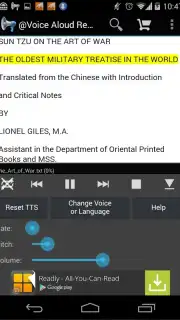
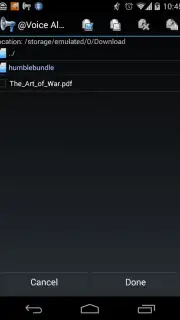
The application operates by accessing text files from your device's internal storage or by downloading content directly from the web. For optimal performance and reliability, plain text files in TXT format are recommended. The software can also process PDF and HTML documents, though functionality may vary with complex formatting. Once a document is loaded, the app utilizes a selection of pre-installed voice engines to begin audio playback.
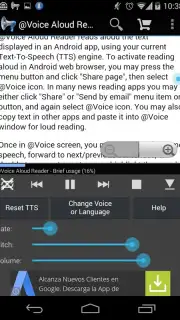
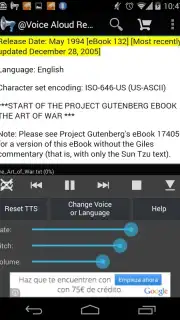
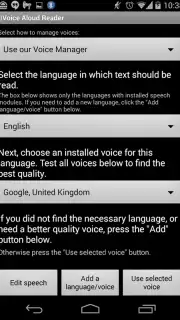
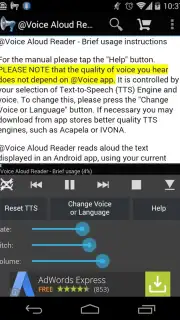
User configuration is central to the experience. The settings menu provides controls for selecting the primary language for speech synthesis and choosing from multiple available voice profiles for each language. The application manages voice data updates automatically, downloading and installing new or improved speech engines without requiring manual intervention from the user. During playback, you can adjust the speech rate, pitch, and intonation in real-time.
Navigation and Playback Controls
Playback management includes precise navigation within documents. A double-tap on any paragraph within the loaded text will immediately jump the audio playback to that specific section. This allows for non-linear listening and easy review of material. The app is designed for extended use, such as listening to entire books or lengthy articles. For private listening, simply connect a pair of headphones to your device to begin an audio session.
Key Features of Voice Aloud Reader
- Converts TXT, PDF, and HTML files from device storage into spoken audio.
- Selects from multiple voice profiles and languages for speech synthesis.
- Adjusts speech rate, pitch, and intonation during active playback.
- Jumps to specific paragraphs instantly with a double-tap navigation command.
- Automatically manages updates for voice data and language packages.
Transform your reading list into a personal audiobook library. Download Voice Aloud Reader now and start listening.
Internet required. IAP available.
Information
| Version | 40.3.5 |
| Developer | Hyperionics Technology |
| Requirements | Android Android 10+ |
| Updated | 14.09.2026 |
| Size | 54.39 MB |
| Package | com.hyperionics.avar |
| Signature | f3151adeaa72e2c09c9d0e0f511a67362685524b |
| Architecture | arm64-v8a |


