


Vridge screenshots (6)

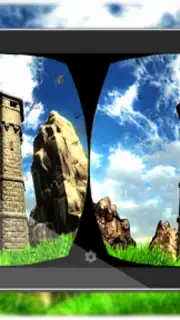
Description Vridge
Accessing PC VR Games Without a Dedicated Headset
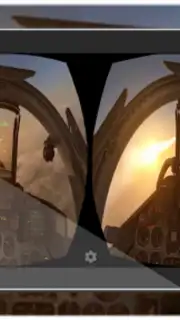
The primary barrier to high-fidelity virtual reality gaming has traditionally been the cost of dedicated hardware like the Oculus Rift or HTC Vive. VRidge addresses this by repurposing an existing Android smartphone and a standard VR headset mount, such as Google Cardboard, into a functional PC VR display. It functions as a bridge software, leveraging a desktop computer's processing power to run the VR application while streaming the visual output and handling head-tracking data to and from the mobile device over a local network.
Core Technical Functionality and Performance
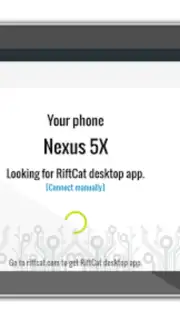
The application operates by installing a companion client on a Windows PC. This client creates a virtual VR headset that games and applications recognize as a compatible device, like an Oculus Rift. The VR game renders on the PC, and the video stream is encoded and sent to the smartphone via Wi-Fi. Concurrently, the phone's internal sensors (gyroscope, accelerometer) provide head-tracking data, which is sent back to the PC to update the view in real-time. This setup allows users to experience graphically intensive PC VR titles, relying on the PC's GPU and CPU for rendering, thus bypassing the mobile hardware's limitations. Performance is dependent on Wi-Fi network quality and PC specifications, with lower latency providing a more seamless and comfortable experience.
Operational Modes and Access Structure
VRidge employs a tiered access model. The free version permits gameplay sessions capped at 10 minutes, designed for testing compatibility and brief demonstrations. For extended use, a one-time purchase through the desktop client unlocks the full, unrestricted version. This premium unlock, often referred to as the Turbo mode, removes the session timer and may include priority access to performance enhancements and reduced latency streaming protocols. The transaction is managed solely via the desktop component, not through mobile app stores.
- Transforms Android phones into a PC VR display using Wi-Fi streaming.
- Emulates premium VR hardware like Oculus Rift for game compatibility.
- Utilizes PC computational power for high-fidelity graphics and physics.
- Provides precise head-tracking via the smartphone’s internal motion sensors.
- Offers a free 10-minute session mode and a permanent premium unlock.
Download the VRidge mobile app now to immediately begin streaming your PC VR library. Don't wait to transform your existing gear into a fully functional virtual reality system.
Internet required. IAP available.
Information
| Version | 1.5.3 |
| Developer | RiftCat Sp. z o.o. |
| Requirements | Android Android + 5.0+ |
| Updated | 17.03.2026 |
| Size | 5.15 MB |
| Package | com.riftcat.vridge |
| Signature | b4080b927c729232cd8b60769687c222 |
| Architecture | armeabi, armeabi-v7a, x86 |


