

Watch Later screenshots (5)
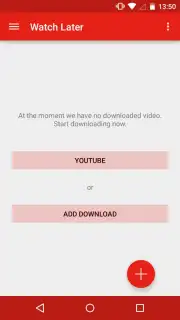
Description Watch Later
A Practical Approach to Offline Video Libraries
Imagine you've just found an essential tutorial or a captivating documentary on YouTube, but you're about to board a flight or enter a low-signal area. The frustration of losing access is real. Watch Later by PixcelStudio addresses this directly, functioning as a streamlined utility for acquiring YouTube video files to your device's local storage. It operates on a clear, two-path system, removing the typical clutter of in-stream ads and providing a focused environment for building a personal offline library. This review examines its mechanics as a video downloader and local media manager, assessing its utility for users who prioritize access over streaming convenience.
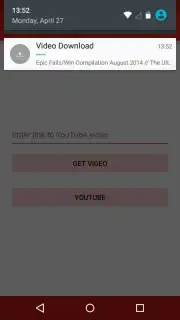
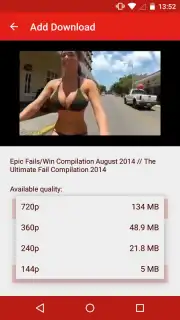
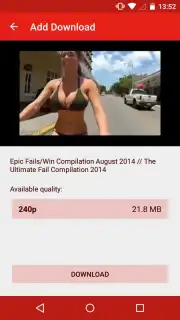
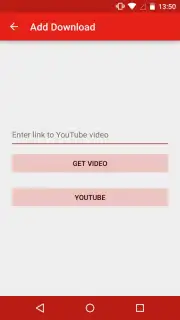
The application's core functionality is built around two distinct entry points for sourcing content, which dictates the user's workflow. The first method is for direct linking: you paste a copied YouTube URL into the app's designated field. This path is optimized for efficiency when you have already curated a list of specific videos elsewhere, requiring minimal steps to initiate a download queue. The second method integrates a search client, allowing you to query YouTube's catalog directly within the app's interface. This transforms it from a simple download tool into a discovery and acquisition hub, where you can find, evaluate, and save videos without switching between applications. A significant operational note is the inclusion of a Turbo mode, which, when activated, enhances the service by removing all advertising interruptions from the app itself, creating a completely clean user experience.
Beyond acquisition, the app provides basic but crucial storage management tools. It displays real-time available storage capacity on your device, allowing for informed decisions before downloading large files. All successfully acquired videos are systematically placed in a dedicated, easily accessible local folder on your device, creating a unified library separate from your other media. It’s important to understand that the actual download speed is not controlled by the app but is entirely dependent on the bandwidth and stability of your active Wi-Fi network connection.
Key Features at a Glance
- Offers dual input methods: direct URL pasting and in-app YouTube search.
- Provides a Turbo mode to eliminate all in-application advertisements.
- Integrates a local storage monitor to manage device capacity effectively.
- Automatically organizes all downloads into a dedicated, easy-to-find folder.
- Serves as a straightforward tool for creating a permanent offline video archive.
We suggest trying Watch Later if your routine demands reliable offline access to educational or entertainment video content from YouTube without the friction of ads.
Download the Watch Later mobile app now to build your offline video library.
Heads up: you'll need Wi-Fi for downloading videos. The Turbo feature for an ad-free experience is a separate, optional upgrade.
Information
| Version | 3.1.2 |
| Developer | PixcelStudio |
| Requirements | Android Android + 4.0, 4.0.1, 4.0.2+ |
| Updated | 17.03.2026 |
| Size | 44.4 MB |
| Package | com.pixcelstudio.watchlater |
| Signature | e0b4fbc8236719af3b801e274d6cee12 |


