


Weather & Clock Widget Android screenshots (9)

Description Weather & Clock Widget Android
Never Miss a Beat of Your World's Weather and Time Again
Imagine having a personal meteorological and horological command center right on your Android home screen. No more frantic searches or switching between multiple apps. Weather & Clock Widget Android consolidates global timekeeping and hyper-local weather intelligence into a seamless, glanceable experience. This isn't just about checking conditions; it's about synchronizing your day with the planet, ensuring you are perfectly prepared for whatever the atmosphere—or your schedule—throws at you.
A Comprehensive Dashboard for Your Day and Your Travels
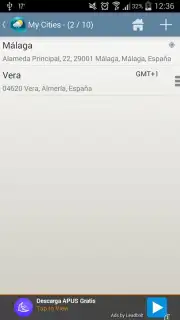
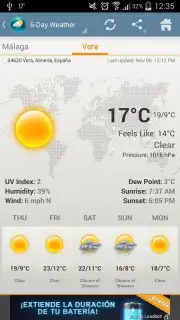
The application transforms a simple widget into a powerful information hub. You begin by adding the cities that matter to you, from your hometown to key business centers or future vacation spots. Instantly, you gain access to a meticulously organized suite of data. The primary Weather tab delivers far more than a basic temperature reading. You are presented with a complete atmospheric profile: real-feel temperature, high and low forecasts, precise humidity percentages, wind speed and direction, and detailed cloud cover analysis. It thoughtfully includes sunrise and sunset times, allowing you to plan your activities around natural light. A detailed five-day forecast provides a clear outlook, with projected highs and lows to help you plan your week with confidence.
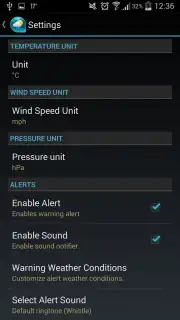
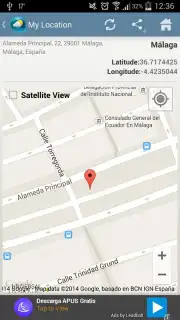
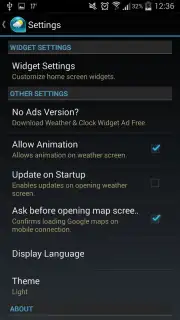
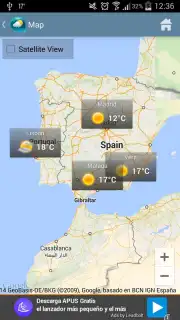
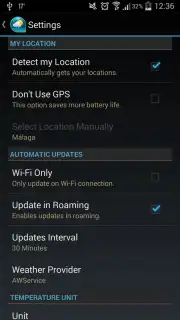
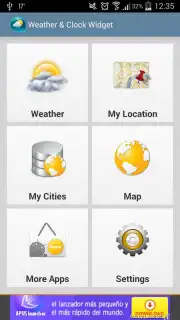
Navigation and location intelligence are core to its utility. The My Location tab does more than just name your city; it pinpoints your exact coordinates with longitude and latitude and offers a stunning satellite photo view of your immediate surroundings. For a broader perspective, the interactive Map tab visualizes weather patterns across the globe, highlighting conditions in major world capitals alongside all your personally saved favorite locations. The settings menu is remarkably extensive, allowing for deep customization of units, update intervals, and visual themes. A standout feature is the ability to quickly analyze the general climate of any region, an indispensable tool for crafting the perfect travel itinerary.
Why This Widget Becomes an Essential Daily Tool
- Global Time & Weather at a Glance: Monitor precise local times and real-time meteorological data for multiple cities worldwide directly from your home screen.
- Hyper-Detailed Weather Analysis: Access critical metrics including current, high, and low temperatures, humidity, wind conditions, cloud cover, and sunrise/sunset times.
- Advanced Five-Day Forecasting: Plan your week effectively with a reliable, extended forecast that includes predicted temperature ranges.
- Intelligent Location Services: See your exact position with coordinates and enjoy a satellite imagery view of your area via the My Location feature.
- Interactive Global Weather Map: Visualize weather conditions on a world map, tracking systems in major cities and your personalized list of favorites.
- Extensive Customization Suite: Tailor the app’s behavior and appearance through a comprehensive settings menu, including a valuable climate overview for trip planning.
- Optimized User Experience: The Turbo version ensures a smooth, uninterrupted interface free from disruptive advertisements.
Stop compromising with fragmented information. Transform your device's home screen into your most reliable personal assistant for time and weather. Download Weather & Clock Widget Android now and experience the clarity of being perfectly in sync with your world!
Download the mobile app now!
Internet required. IAP available.
Information
| Version | 6.5.5.2 |
| Developer | Devexpert.NET |
| Requirements | Android Android 7.0+ |
| Updated | 16.09.2026 |
| Size | 15.99 MB |
| Package | com.devexpert.weather |
| Signature | dabb447648bba13f18df24919bd4dc5ef7c84038 |


