


WeChat Keyboard screenshots (9)

Description WeChat Keyboard
Imagine typing a message in a chat, and your keyboard intuitively shifts to accommodate your language, your style, and even your need to see the screen behind it. That’s the seamless, intelligent experience offered by WeChat Keyboard, the official Android keyboard app from Tencent. It transforms your device's input into a dynamic, highly adaptable tool built for modern, multilingual communication, blending powerful input methods with thoughtful, user-centric design.
Core Functionality and Setup
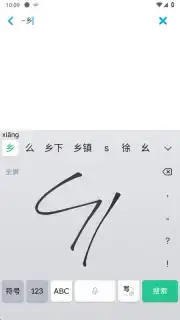
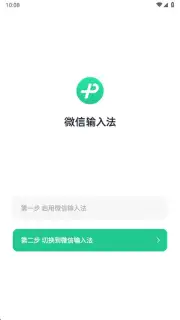
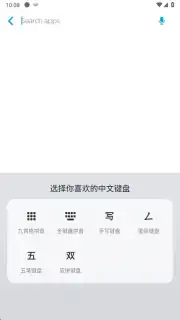
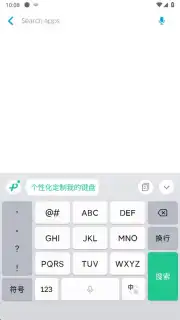
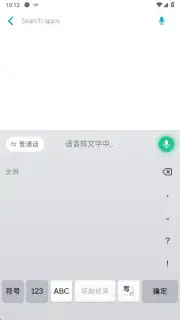
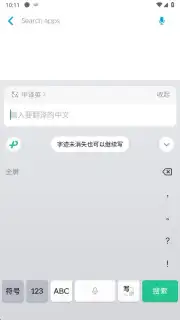
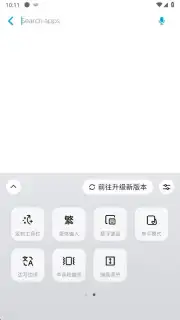
Activating WeChat Keyboard is a straightforward, one-time process. After granting the standard system permissions required by any keyboard application and selecting it as your default, you gain immediate access to its core arsenal. The interface presents six distinct input methods, including robust support for alphanumeric characters and comprehensive Chinese handwriting recognition. The handwriting area cleverly utilizes the lower screen space, allowing you to trace characters naturally with your fingertip. Switching between these modes is instantaneous—simply tap the prominent green button in the interface's upper-left corner to cycle through your options.
Adaptive Interface and Real-Time Tools
A standout feature is the flexible keyboard placement. You can lock the keyboard in a fixed position at the screen's bottom or enable a floating mode. This floating window can be dragged anywhere on the display, a crucial advantage for gaming sessions or watching videos, as it minimizes visual obstruction without altering aspect ratios. Furthermore, the keyboard integrates a real-time grammar correction engine. This tool actively proofreads your text as you type, significantly reducing typos and errors in any conversation, especially within WeChat. It also includes a persistent clipboard function, letting you copy and store frequent phrases for one-tap pasting, perfect for preparing quick, common responses.
Rich Expression and Language Support
Beyond mere text, WeChat Keyboard serves as a hub for digital expression. It provides instant access to an extensive, integrated library containing hundreds of emojis and stickers, all sendable with a single tap. The app is engineered for broad linguistic compatibility, supporting input for practically any language that uses alphanumeric systems alongside dedicated Chinese tools. It’s important to note that while the keyboard functions universally, sticker display compatibility may vary depending on the specific text field or application you are using.
- Six versatile input methods
- Floating or fixed keyboard placement
- Real-time grammar correction
Stop compromising with a basic, one-size-fits-all keyboard. Elevate your typing with precision, flexibility, and expressiveness designed for global conversations. Download WeChat Keyboard now and instantly upgrade how you connect!
Download mobile app now!
*This application requires an internet connection for full functionality and may offer in-app purchases.
Information
| Version | 1.3.0 |
| Developer | Tencent Technology (Shenzhen) Company Ltd. |
| Requirements | Android Android + 7.0+ |
| Updated | 17.03.2026 |
| Size | 127.91 MB |
| Package | com.tencent.wetype |
| Signature | d067aa8170047437d8e5a245fd46845d |
| Architecture | arm64-v8a |



