


WhatsRunning Demo screenshots (16)
Description WhatsRunning Demo
Stop Guessing What's Slowing Down Your Phone
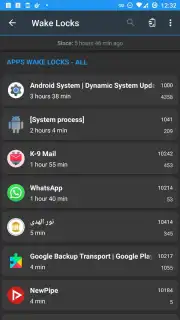
You notice your device getting warm, the battery draining faster than usual, or a general sluggishness in performance. The culprit is often hidden processes and background services consuming resources without your knowledge. Manually digging through complex system settings is a tedious and imprecise solution. WhatsRunning Demo provides the transparency and control needed to diagnose these issues instantly, transforming vague performance anxiety into clear, actionable system management.
A Real-Time System Process Inspector
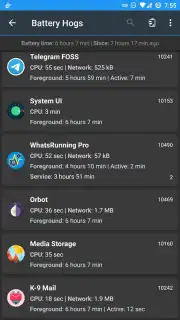
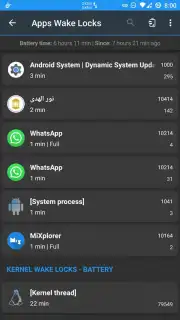
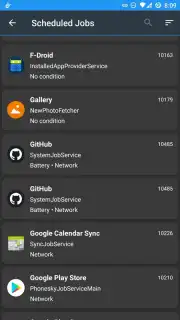
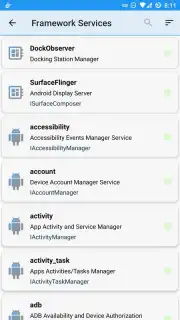
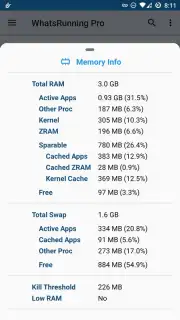
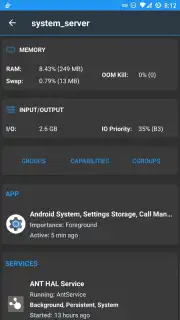
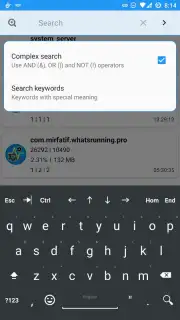
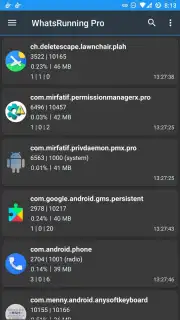
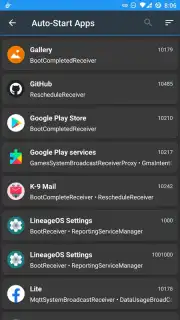
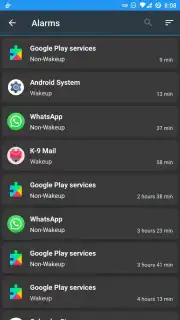
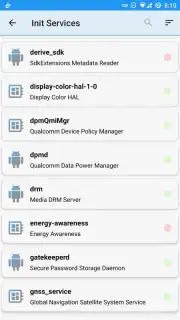
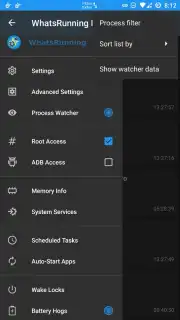
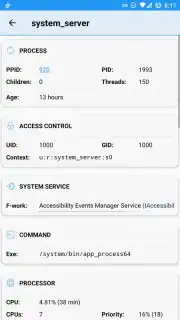
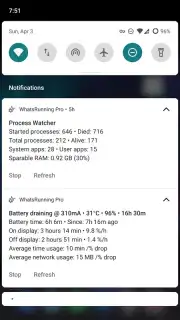
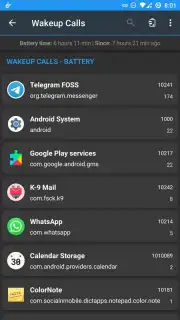
This utility functions as a detailed diagnostic dashboard for your Android device. Upon launch, it performs an immediate scan and presents a comprehensive, real-time list of all running applications, services, and processes. Each entry is displayed with critical data points, including its package name, current CPU usage, memory footprint, and the number of threads it's actively using. This allows you to distinguish between essential system functions and non-essential or rogue apps that may be hogging resources. The interface is designed for clarity, categorizing processes to help you quickly identify what is normal and what might be causing performance degradation.
Engineered for Practical System Management
The value of WhatsRunning Demo lies in its straightforward utility and depth of information. It doesn't merely list processes; it provides the context needed to make informed decisions. You can sort the list by resource consumption to instantly pinpoint the most demanding applications. For advanced users, the detailed view offers insights into process IDs (PIDs) and user IDs (UIDs), which are crucial for understanding how applications interact with the system. The tool requires no complex setup or root access, delivering professional-grade system visibility in a format accessible to both casual users and tech enthusiasts looking to optimize their device's operation.
- Real-Time Process & Service Monitoring
- Detailed CPU and Memory Usage Stats
- Sortable List by Resource Consumption
- No Root Access Required
Gain immediate visibility into your device's inner workings and take back control of its performance. Download the app now to start optimizing.
Requires an internet connection for initial functionality verification. This is a demo version of the application.
Information
| Version | v1.13-ps |
| Developer | Irfan Latif |
| Requirements | Android Android + 7.0+ |
| Updated | 17.03.2026 |
| Size | 4.74 MB |
| Package | com.mirfatif.whatsrunning.ps |
| Signature | d58618bd70b3f0b474c73d6a362e8796 |
| Architecture | armeabi-v7a, x86, arm64-v8a, x86_64 |


