

WiFi Manager screenshots (4)

Description WiFi Manager
Your Wi-Fi, Finally Under Your Control
Tired of wrestling with unreliable connections and confusing network lists? Imagine a world where every Wi-Fi network around you bends to your will, where signal strength is crystal clear, and switching networks is as easy as a swipe. That’s the reality WiFi Manager creates. This isn’t just a scanner; it’s a command center for your wireless life, transforming your phone into a powerful tool for mastering any network environment. Stop being a passive user and start managing your connectivity with precision and style.
A Deep Dive into Powerful Connectivity Features
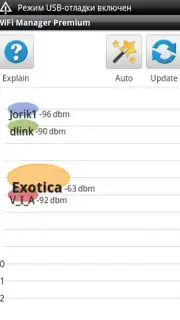
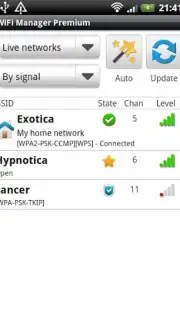
WiFi Manager goes far beyond basic detection. It hands you the keys to customize and control your entire Wi-Fi experience from a single, intuitive hub. Feel the satisfaction of seeing networks displayed exactly how you want them, with personalized names and icons that make identification instant and effortless. No more guessing which "NETGEAR" is yours in a sea of identical names. Peer beneath the surface with detailed, real-time analytics that show you network health, channel numbers, and signal quality, empowering you to find the clearest, fastest connection available.
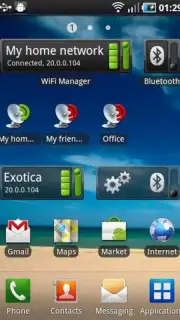
The true magic happens on your home screen. The app’s brilliantly designed widget puts ultimate control at your fingertips—literally. Enable or disable Wi-Fi, scan for new networks, and seamlessly jump from one connection to another with a simple finger gesture, all without ever opening the app itself. It streamlines your digital routine, saving you precious seconds countless times a day.
And for those seeking the pinnacle of an ad-free, turbocharged experience, the app offers enhanced options to remove all distractions and unlock premium utilities, letting you focus purely on flawless connectivity.
Why Your Phone Needs This App Today
- Total Network Customization: Rename and re-icon any discovered Wi-Fi network to create a visual map that makes perfect sense to you.
- Advanced Network Intelligence: Instantly view critical connection data like signal status and channel occupancy to diagnose issues and choose the best network.
- Unmatched Home Screen Control: The versatile widget allows you to manage all Wi-Fi functions directly from your home screen for unparalleled convenience.
- Gesture-Based Network Switching: Switch between available networks with an incredibly smooth and quick swipe action on your screen.
- Rich, Adaptable Interface: Enjoy a colorful and visually pleasing design that can be tailored to fit your personal aesthetic preferences and functional needs.
- A Foundation for Premium Performance: Explore options for an enhanced, ad-free experience with access to powerful tools for the ultimate connection management.
This is the upgrade your phone’s connectivity has been waiting for. Stop dealing with default settings and weak signal frustrations. Take command.
Download WiFi Manager now and transform your Wi-Fi experience today!
Disclaimer: This application requires an internet connection. Some features or services within the app may require additional purchases.
Information
| Version | 4.3.0-230-nicolas |
| Developer | Kostya Vasilyev |
| Requirements | Android Android + 4.1, 4.1.1+ |
| Updated | 17.03.2026 |
| Size | 3.26 MB |
| Package | org.kman.WifiManager |
| Signature | 998bec6be5fbab71c0ab2550db1e9689 |
| Architecture | universal |


