

Wifi Remote Play screenshots (4)
Description Wifi Remote Play
The Problem with Media Player Controls
Managing a video library or watching a film on your computer often creates a physical disconnect. You are seated comfortably, only to interrupt your immersion by reaching for the keyboard to pause, skip, or adjust volume. This constant break in focus is a minor yet persistent friction in the media consumption experience, especially in a home theater setup where the computer may be across the room. The need for a seamless, centralized control interface that bridges your Android device and your desktop media players is evident for anyone seeking a streamlined viewing session.
Wifi Remote Play: A Technical Analysis
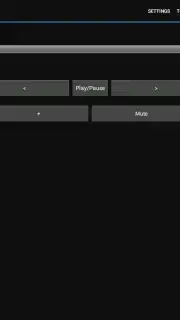
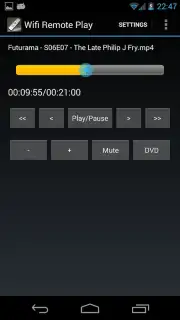
Wifi Remote Play addresses this core inconvenience by transforming your Android smartphone or tablet into a dedicated wireless remote for Media Player Classic (MPC) and VideoLan Client (VLC) on your Windows PC. The application establishes a direct connection over your local Wi-Fi network, creating a responsive control panel that mirrors essential playback functions. The interface is deliberately clean and utilitarian, focusing on latency-free responsiveness rather than decorative graphics. Upon successful connection, which requires a one-time configuration of the web interface on your PC software, you gain tactile command over play, pause, stop, and precise track navigation through your media library's timeline.
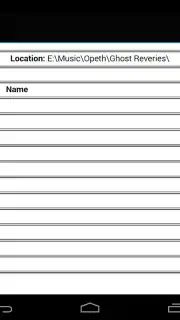
The functionality extends beyond basic transport controls. A comprehensive volume slider and a dedicated mute button provide fine-grained audio management. For Media Player Classic users, the integrated file browser is a significant feature, allowing you to browse your computer's directories and select media files for playback directly from your Android device, effectively turning it into a remote media hub. The application also supports toggling between windowed and full-screen modes on the host PC, a critical function for home theater PCs where display mode switching is frequent. Furthermore, it offers dedicated DVD menu navigation controls—including title, chapter, and angle selection—providing a complete remote DVD playback experience that is increasingly rare in software solutions.
Core Feature Set
- Full wireless playback transport control
- Integrated file browser for MPC
- DVD menu navigation support
- Clean, ad-free user interface
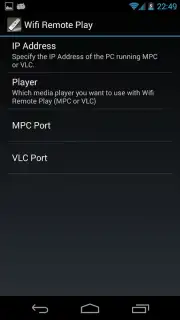
The project's foundation as a free, open-source, and community-driven application is a notable aspect of its development. It has evolved through user feedback and contributions since its earlier iterations, resulting in a stable tool focused purely on utility. The absence of advertisements or premium paywalls ensures an uninterrupted experience. For users who wish to support ongoing development and server costs, an optional in-app purchase is available to unlock a 'Turbo' mode, which may contribute to future enhancements and sustained project viability. Initial setup, while straightforward for technically-inclined users, involves steps like enabling the web interface in VLC or MPC and identifying your computer's local IP address. The developer provides access to online resources to guide users through this one-time configuration process.
Get your dedicated media remote and streamline your viewing experience today.
Download mobile app now
Internet required for initial setup and operation. Optional IAP available.
Information
| Version | 1.13 |
| Developer | Mark Harman |
| Requirements | Android Android + 2.3.3, 2.3.4+ |
| Updated | 17.03.2026 |
| Size | 625.7 KB |
| Package | net.sourceforge.wifiremoteplay |
| Signature | 73e02c2ae07ff4520f437b4b7741ceb6 |
| Architecture | universal |


