

Win 10 Launcher: 2 screenshots (8)
Description Win 10 Launcher: 2
A Functional Transformation for Android Interfaces
The concept of bringing a desktop operating system's interface to a mobile device is often an aesthetic novelty. Win 10 Launcher: 2, developed by Launchers & Themes, approaches this idea from a different angle, focusing on structural replication of the Windows 10 environment. This application in the Personalization category provides a framework that systematically replaces the standard Android home screen with the tile-based Start Menu and desktop iconography familiar to PC users. The primary operational premise is customization through built-in options, allowing users to dictate the layout and functionality, moving beyond a simple skin to a re-engineered interaction model.
Core Mechanics and Customization Depth
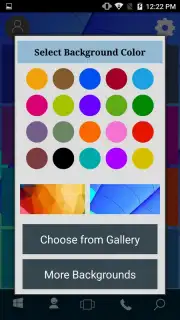
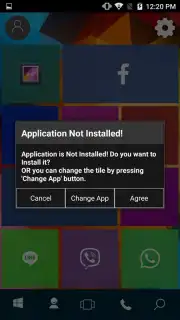
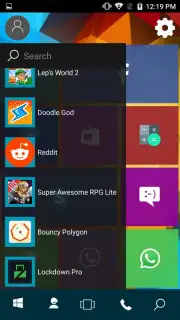
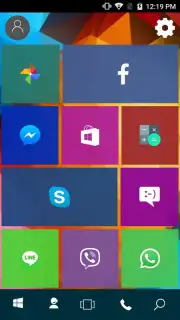
The graphical implementation is the central component of this launcher. Upon installation, the device's visual output is reconfigured to emulate the Windows 10 desktop, including the taskbar, Start Menu with live tiles, and system-style icons. This visual overhaul is not static; the settings panel provides control over wallpaper, allowing selection from a curated default gallery or from images stored locally on the device. A notable operational feature is the absence of advertising in the core experience, which is often attributed to its optimized "Turbo" mode, designed to maintain performance parity with standard launchers.
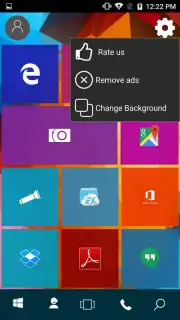
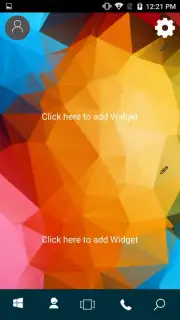
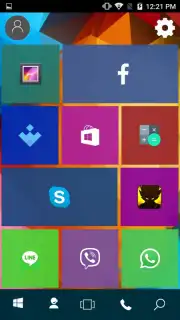
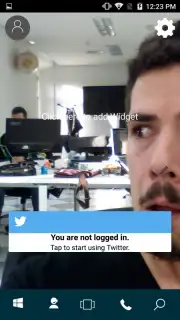
Functionality extends to layout management. The launcher populates the desktop with Metro-style tile buttons by default. Each tile is a configurable portal, acting as a direct shortcut or a folder. Users can press and hold any tile to modify its properties, link it to specific applications, or reorganize application groups for workflow efficiency. Widget addition follows the same one-touch integration principle, embedding them into the tile grid system. The distinction from similar thematic launchers lies in its emphasis on practical navigation; the interface is engineered not just for visual accuracy but for creating a structured, grid-based application management system that some users find more methodical than icon-dense Android screens.
- Authentic Windows 10 Interface Replication: Transforms your Android home screen and app drawer into a functional Start Menu with resizable live tiles.
- Advanced Customization Suite: Configure tile properties, choose wallpapers from device storage or built-in galleries, and organize apps in a structured grid layout.
- Optimized Ad-Free Experience: Utilizes a performance-focused mode to deliver a clean, uninterrupted interface without disruptive advertisements.
The practical utility of Win 10 Launcher: 2 becomes apparent during extended use. It provides a consistent, organized environment that appeals to users transitioning from a Windows PC ecosystem or those seeking a more compartmentalized app access method. The settings offer sufficient depth for personalization without overwhelming complexity, striking a balance between thematic fidelity and daily usability.
Download Win 10 Launcher: 2 now to configure your Android device with this exclusive desktop-style interface. This limited introductory access provides full customization features—install today before any potential feature updates.
Disclaimer: This application requires a stable internet connection for initial setup and potential updates. It offers in-app purchases for additional premium themes and customization options within the Google Play Store ecosystem.
Information
| Version | 1.2 |
| Developer | Launchers & Themes |
| Requirements | Android Android + 4.0, 4.0.1, 4.0.2+ |
| Updated | 17.03.2026 |
| Size | 6.44 MB |
| Package | com.real.launcher.wp.ten.two |
| Signature | 149cd609e7fd465bc70eebfaf3147f3e |


