

Win X: Computer Launcher screenshots (10)
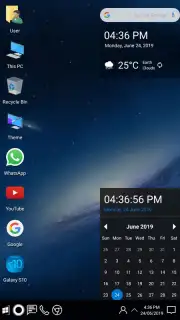
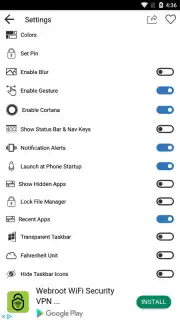
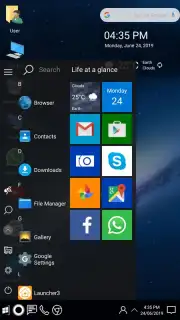
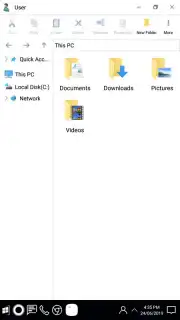
Description Win X: Computer Launcher
Tired of the Same Old Android Look? Transform Your Phone into a Windows 10 Powerhouse.
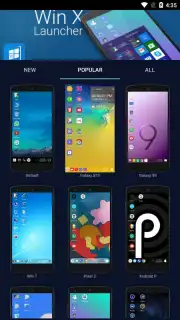
Your Android device is powerful, but its interface can feel limiting and repetitive. What if you could break free from the standard grid of icons and unlock a truly desktop-class experience tailored to your workflow? Win X: Computer Launcher is not just another theme; it's a complete system transformation that brings the sophisticated, productive environment of Windows 10 directly to your smartphone or tablet. This advanced launcher goes beyond superficial changes, offering deep, granular control over every visual and functional element. Imagine organizing your apps and widgets on a familiar desktop, managing files with a proper explorer, and customizing transparency effects to create a look that is uniquely and efficiently yours. It’s designed for users who want more than aesthetics—they want a functional upgrade that makes their device work smarter.
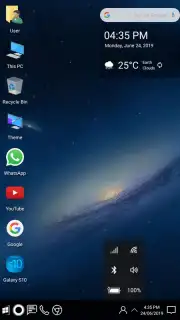
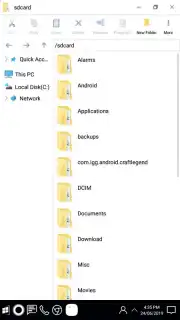
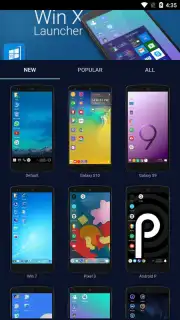
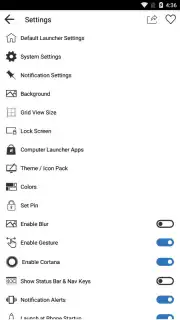
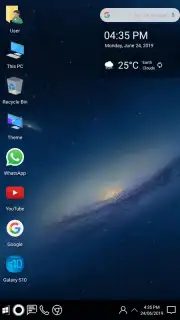
This launcher delivers a comprehensive Windows 10 simulation with serious utility. You start with an authentic desktop complete with a functional Start Menu, taskbar, and system tray, providing immediate navigation familiarity. The integrated file manager is a standout tool, allowing you to browse, copy, move, and organize your device's internal storage and SD card contents just like on a PC, eliminating the need for separate file explorer apps. Security is enhanced with the ability to set a lock pattern for individual applications, adding a private layer of protection to your sensitive apps directly from the desktop. Furthermore, the launcher supports extensive visual customization through dedicated theme packs and allows you to fine-tune interface transparency levels for the taskbar, menus, and panels to achieve your perfect balance of style and clarity.
Core Features of Win X: Computer Launcher
- Authentic Windows 10 desktop interface
- Advanced, integrated file manager
- Per-application lock pattern security
- Deep transparency and theme controls
Every aspect of your home screen is under your command. The default setup provides a logical arrangement of app shortcuts, but you have absolute freedom to modify it. You can long-press to remove any icon, such as the default WhatsApp shortcut, and replace it with any other app like Telegram, a folder, or a widget. You can create unlimited shortcuts, resize elements, and choose from a vast library of high-definition wallpapers that complement the Windows aesthetic. The settings panel is where the real power lies, letting you adjust icon positions on the grid, modify the taskbar's opacity and behavior, and customize system sounds. The Turbo mode mentioned ensures all these animations and transitions are smooth and fluid, providing a premium experience free of disruptive advertisements. This level of personalization means your device doesn't just look like Windows 10—it operates with a similar logic of efficiency and user control, adapted perfectly to the touchscreen form factor.
Stop settling for a basic phone interface. It’s time to upgrade your mobile productivity and style with a launcher that offers real desktop power. Claim your visual and functional advantage now.
Internet required. IAP available.
Information
| Version | 11.70 |
| Developer | Pro Themes and Launchers |
| Requirements | Android Android + 5.0+ |
| Updated | 17.03.2026 |
| Size | 14.91 MB |
| Package | com.protheme.launcher.winx.launcher |
| Signature | f6f1b2c18ccee5710a137660093794cb |
| Architecture | armeabi-v7a, x86, arm64-v8a, x86_64 |


