

Windows App (Preview) screenshots (12)
Description Windows App (Preview)
A Glimpse into Your Digital Workspace, Anywhere
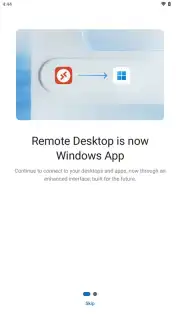
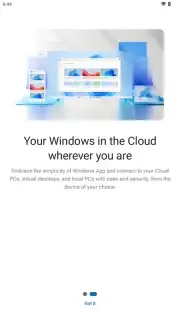
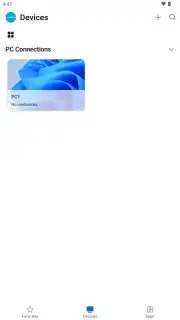
Imagine you’ve just left the office, but a critical file remains on your desktop PC. Traditionally, this meant a frustrating trip back or a compromised workflow. The Windows App (Preview) from Microsoft Corporation redefines this scenario, transforming your Android device into a secure, high-fidelity portal to a full Windows environment. This official application is not merely a remote viewer; it is a comprehensive access hub designed for professionals and power users who require genuine desktop functionality on the move. It facilitates a seamless interaction model where your phone or tablet, coupled with peripherals, becomes the control center for physical PCs, corporate cloud resources, or virtual machines, effectively erasing the boundaries of location.
Detailed Analysis of Core Functionality
The application’s architecture is built on a foundation of exceptional flexibility and enterprise-grade security. It operates by establishing an encrypted tunnel between your Android device and the target Windows system, whether that system is a physical machine in your home, a company-hosted desktop, or a cloud instance from services like Windows 365 or Azure Virtual Desktop. This connection is optimized for performance, ensuring that input from your touchscreen, connected Bluetooth mouse, or keyboard is transmitted with minimal latency, creating an experience that closely mirrors sitting directly in front of the host computer. The visual stream adapts to network conditions, aiming to preserve clarity and responsiveness for productive work.
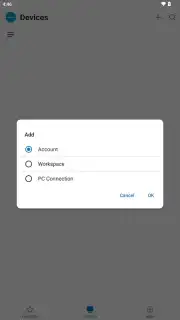
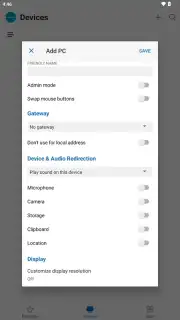
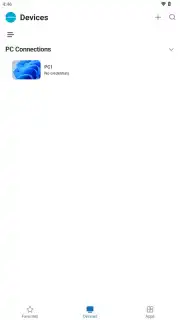
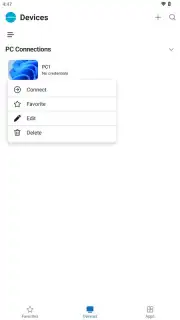
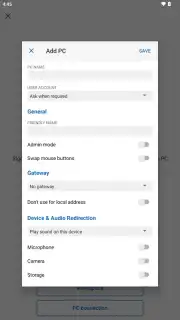
Beyond basic access, the app provides granular control over the session environment. Users can configure administrative permissions for the connection, redirect audio output to the Android device, and utilize the mobile device's camera if needed. For multi-monitor workstation setups, the app intelligently handles display switching, allowing you to view all remote screens simultaneously or toggle between them, which is critical for complex tasks involving multiple applications. The setup process is deliberately streamlined: enabling Remote Desktop on the host Windows PC and adding the connection via email account, work credentials, or direct IP address in the app is typically all that's required for initial access.
- Universal Access Protocol: Connect to physical PCs via IP address, corporate cloud desktops via work accounts, or subscription services like Windows 365 using a personal email, covering all remote scenarios.
- High-Fidelity Remote Session: Supports multi-monitor configurations, peripheral redirection for audio and camera, and administrative controls for a complete desktop replication on your Android device.
- Enterprise-Grade Secure Channel: All connections are protected with robust encryption, ensuring data integrity and privacy whether you are on a home network or public Wi-Fi.
Optimized for Professional and Hybrid Environments
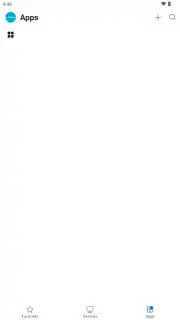
The true strength of the Windows App (Preview) lies in its deep compatibility with the Microsoft ecosystem. It serves as a unified client for a spectrum of services including Azure Virtual Desktop, Microsoft Dev Box, and traditional Remote Desktop Services (RDS) deployments. This makes it an indispensable tool for IT administrators, developers, and hybrid workers who need a consistent interface to access different types of resources. The ability to save connection profiles means that once your PCs or cloud workspaces are configured, they are available for one-tap access in the future, eliminating repetitive setup tasks and speeding up your workflow significantly.
Performance is maintained through optimized data handling, which prioritizes screen updates and input responsiveness. The application manages network bandwidth efficiently, making it feasible to work even with graphic-intensive applications remotely. For users with a Windows 365 Cloud PC, the experience is particularly cohesive, offering a persistent, personalized desktop that is identical every time you connect, from any device. This preview represents Microsoft’s focused effort to consolidate remote access into a single, powerful, and user-centric application, moving beyond fragmented solutions.
Download the Windows App (Preview) APK file today and claim exclusive early access to this unified remote desktop solution. Transform your Android device into a powerful workstation immediately—this preview phase offers a unique opportunity to shape the future of mobile productivity.
Internet required. IAP available.
Information
| Version | 1.0.141 |
| Developer | Microsoft Corporation |
| Requirements | Android Android + 9+ |
| Updated | 17.03.2026 |
| Size | 80.42 MB |
| Package | com.microsoft.rdc.androidx.beta |
| Signature | 15f66a413b9f53b12a2f986bf6b80990 |
| Architecture | armeabi-v7a, arm64-v8a, x86_64 |


