


Wink screenshots (19)





Description Wink
A Closer Look at a Comprehensive Photo Editor
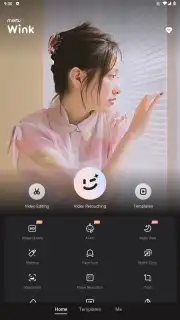
In the crowded field of mobile photo applications, users often find themselves downloading multiple apps to handle different tasks: one for retouching, another for restoration, and a separate one for creative effects. Wink, developed by Meitu, consolidates these functions into a single platform, positioning itself as an all-in-one editing suite. Its core proposition is the integration of artificial intelligence to automate and enhance complex editing processes that typically require manual skill, aiming to deliver professional-grade results through a streamlined mobile interface. This review examines the application's toolset, its practical implementation of AI, and how it structures its editing workflow for both casual and more dedicated users.
Core Functionality and Feature Analysis
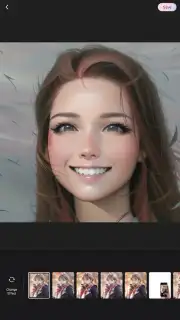
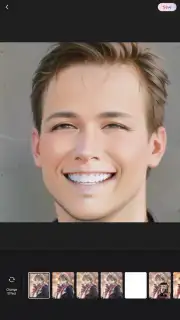
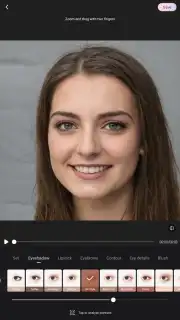
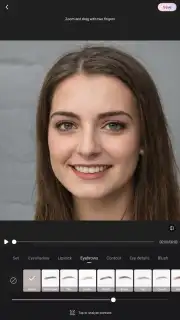
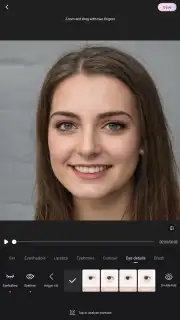
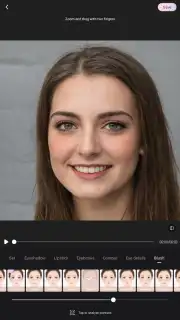
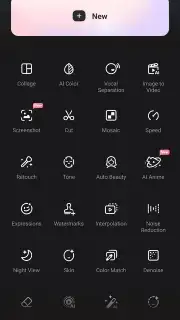
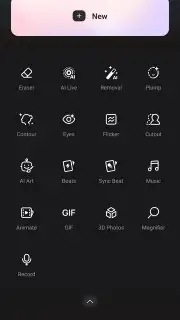
The application is structured around several key editing modules, each dedicated to a specific aspect of image manipulation. The most prominent is its portrait editing suite, which provides granular control over facial features and body morphology. Tools allow for the adjustment of individual facial structures, such as jawline contour, eye size, and nose shape, alongside body sculpting options to modify silhouette. These adjustments are supplemented by an AI-driven makeup application system, which applies cosmetic templates for lips, eyes, and complexion that adapt to the subject's features, aiming for a result that avoids an overtly artificial look.
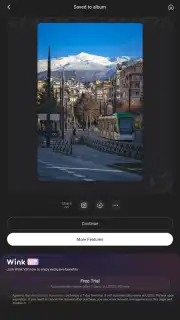
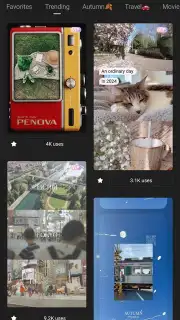
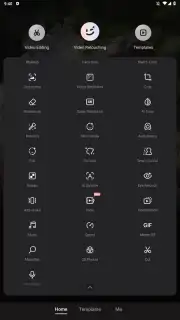
Beyond portrait-specific tools, Wink includes a standard but robust set of general editing instruments. Users can perform fundamental operations like cropping, rotating, and color correction, including adjustments to saturation, contrast, and temperature. The app also provides a library of artistic filters, animated stickers, text overlays with various fonts and effects, and transition styles for creating multi-image projects or slideshows. This combination allows for the creation of content ranging from simple social media posts to more composed visual compositions.
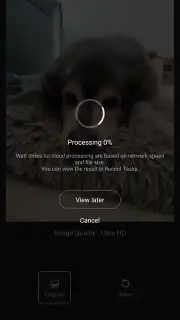
A distinct technical feature is the AI-powered photo restoration and enhancement engine. This module is designed to process low-resolution or aged photographs, attempting to increase their clarity and apparent resolution. The system analyzes the image to reduce digital noise, sharpen blurred edges, and intelligently fill in missing details. This function is particularly targeted at users seeking to revitalize old scanned photos or improve images taken in suboptimal lighting conditions without access to desktop software.
- AI-Powered Portrait Retouching offers detailed control over facial features, body shaping, and automated makeup application.
- Professional-Grade Editing Tools include precise color grading, cropping, and a comprehensive filter library for overall image adjustment.
- Photo Restoration Technology utilizes AI to upscale resolution, reduce noise, and sharpen details in old or low-quality pictures.
- Creative Content Suite provides a vast collection of stickers, text styles, and transition effects for building dynamic visual projects.
- Ad-Free Editing Experience ensures an uninterrupted workflow, allowing focus solely on the creative and technical editing process.
We suggest trying Wink if your editing requirements span from detailed portrait retouching to general photo enhancement and creative design. Consider downloading the application to evaluate its integrated AI tools for both restoration and aesthetic refinement in a single workspace.
Download the Wink mobile app now.
Disclaimer: The application requires an internet connection for full functionality, including access to certain AI features and asset libraries. It may offer optional in-app purchases for premium filters, tools, or subscription plans.
Information
| Version | 3.2.0 |
| Developer | Meitu (China) Limited |
| Requirements | Android Android + 8.0+ |
| Updated | 17.03.2026 |
| Size | 89.96 MB |
| Package | com.meitu.wink |
| Signature | 0f0d5d142b696bc43b3a86d6b84f5dde |
| Architecture | arm64-v8a |


