


Word To Text screenshots (4)
Description Word To Text
Struggling to Extract Raw Text from DOC Files on Your Android Device?
Word To Text provides a streamlined solution for converting Microsoft Word DOC documents into plain TXT files directly on your Android device. This utility addresses the common need to strip formatting, metadata, and complex layout elements to obtain clean, reusable text for editing, coding, or data processing purposes. The application operates with minimal system footprint, enabling efficient file conversion without requiring an internet connection or complex software suites.
Core Functionality and Operational Features
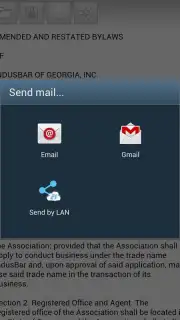
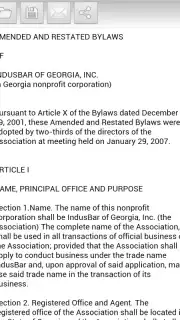
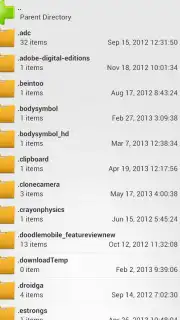
The application's primary function is parsing the structure of DOC files to isolate and export the textual content. It integrates with the native Android file management system, granting users direct access to browse all directories and storage locations, including internal memory and SD cards, to locate documents for processing. The conversion engine focuses on text extraction, deliberately removing embedded images, tables, and styling to produce a plain .TXT output. Post-conversion, a built-in text viewer allows for immediate verification of the extracted content before finalizing the save operation.
- Direct DOC to TXT Conversion: Processes Microsoft Word .DOC format files, extracting and exporting only the raw text content into a standard .TXT file.
- Integrated File System Browser: Accesses and navigates all folders on the Android device to locate source documents stored in any directory without file import steps.
- Instant Preview and Save: Opens converted text in a viewer for verification and saves the final TXT file with a single action via the save icon interface.
The application architecture is designed for efficiency, maintaining a minimal installation size to conserve device storage and memory resources. The process flow is linear: select a DOC file from any accessible folder, initiate the automated conversion, preview the resulting text, and save the new TXT file to a chosen location. This eliminates the need for intermediate steps or sending documents to external cloud services.
Download the Word To Text app now and convert your documents instantly!
Disclaimer: This application requires access to device storage to read source files and save outputs. It functions offline and does not require a persistent internet connection. The developer may offer optional premium features via in-app purchases.
Information
| Version | 1.25 |
| Developer | esse.vn |
| Requirements | Android Android + 7.1+ |
| Updated | 17.03.2026 |
| Size | 9.36 MB |
| Package | vn.esse.WordToText |
| Signature | 99824c9a9b2ef1b5da8cb16d195497f0 |
| Architecture | arm64-v8a |


