


X-keeper screenshots (16)

Description X-keeper
The Day I Took Back Control
It was another late evening, and I found myself wondering just what was keeping my child glued to the computer screen for so long. Homework should have been done hours ago. That’s when I discovered X-keeper by JiranSoft, and it fundamentally changed how I manage digital time in our home. This isn't just another basic timer; it's a sophisticated, remote command center for your child's PC, transforming your Android smartphone into a powerful parenting tool. Designed to integrate seamlessly with PC protection services that have parental control features, X-keeper delivers intelligent management that fosters responsible computer habits through direct, actionable oversight. For any parent juggling a busy schedule, the ability to monitor and guide computer activity from anywhere provides not just convenience, but genuine peace of mind.
Advanced Features for Modern Parenting
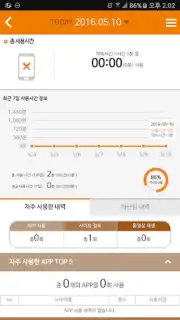
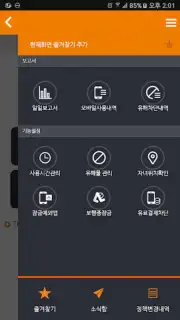
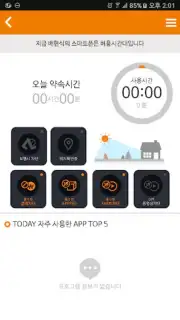
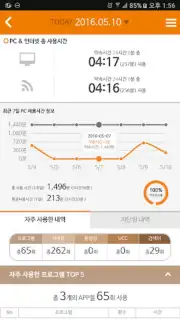
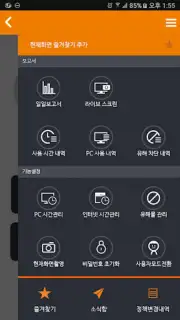
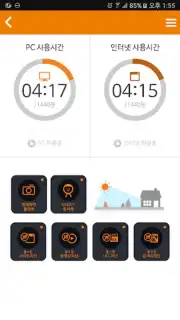
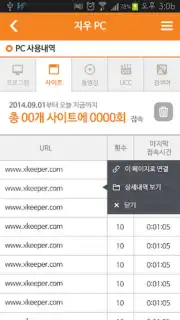
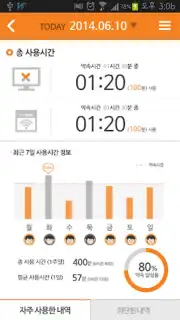
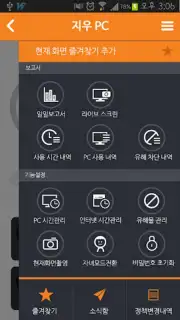
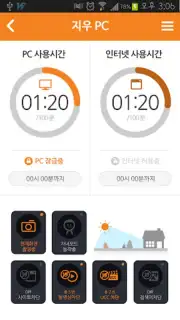
X-keeper elevates parental control with a suite of intuitive and comprehensive functions that work in unison. The core of the system is remote management, allowing you to view usage history and enforce time limits directly from your phone, eliminating the need for constant physical checks. You can configure all settings effortlessly, tailoring how your child's PC time is allocated and controlled. A favorites menu lets you pin frequently used controls for instant access, while detailed daily reports break down activity patterns, giving you clear insight rather than guesswork.
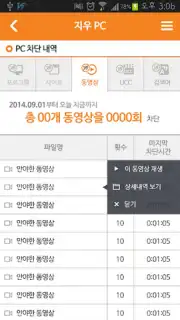
Beyond scheduling, the app provides robust content filtering and real-time oversight. Powerful distribution and access-blocking functions protect your child from harmful online material by allowing you to block malicious websites and videos outright. You can restrict access to specific applications or sites, such as certain games, ensuring a cleaner digital environment. The system even filters search results in real-time, preventing inappropriate content from appearing. For ultimate awareness, the live screen monitoring feature lets you see exactly what is on your child's desktop at any given moment, ensuring they stay on task during study hours or wind down properly before bed.
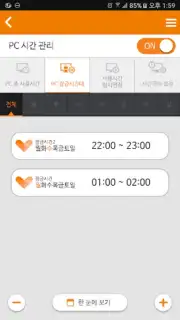
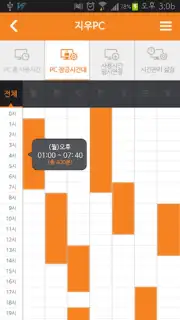
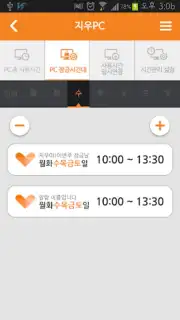
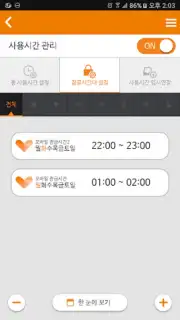
The app is engineered to prevent potential computer or gaming dependency through structured time zones. You can define precise windows when the computer is accessible or completely locked, aligning with study schedules, meal times, and sleep routines. The ability to extend usage periods remotely via the app adds flexibility for special occasions while maintaining overall control. For smooth operation and secure user identification, X-keeper requires access to your device's identifier and call information, which streamlines the login process and enhances the overall stability and personalization of your experience.
- Remote PC time management
- Real-time screen monitoring
- Advanced content filtering
- Detailed daily activity reports
- Customizable access schedules
- Favorites menu for quick controls
Start fostering healthier tech habits today. Download X-keeper now and claim your advantage as a connected, confident parent.
Heads up: you'll need wifi for most remote features. Some advanced monitoring and configuration options are part of the premium service.
Information
| Version | 5.0.0 |
| Developer | JiranSoft |
| Requirements | Android Android + 6.0+ |
| Updated | 17.03.2026 |
| Size | 83.89 MB |
| Package | com.jiran.xkeeperMobile_Ahnlab |
| Signature | 7dfdf2b4ee7a77773fbfb0e084b71eed |
| Architecture | armeabi-v7a, x86, arm64-v8a, x86_64 |


