


X (Twitter) screenshots (12)










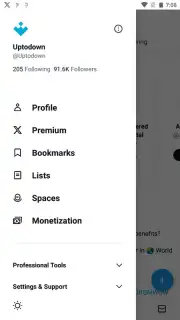

Description X (Twitter)
What Does the X App Offer Beyond the Twitter Rebrand?
The transition from Twitter to X represents one of the most significant rebrands in digital history, but does the core application justify the shift for the daily user? This analysis examines the Android app, version 11.73.0, to separate the foundational social mechanics from the new corporate vision. At its heart, the platform remains a real-time public square, built on the principle of concise communication, though its boundaries are continually expanding. The iconic blue bird has been replaced by a minimalist white 'X', signaling a deliberate move from a simple microblogging tool toward a more ambitious, multi-functional ecosystem under the stewardship of X Corp and Elon Musk. This review details the operational reality of the app, from posting mechanics to algorithmic feeds, providing a clear picture of its current utility and evolving feature set.
The interface prioritizes a clean, dark-mode-friendly design that maintains the intuitive navigation long-time users expect, albeit within a new monochromatic theme. The central act of posting—a 'Tweet', now often called an 'X'—is executed via the prominent circular button, launching a composer that supports text, images, videos, polls, and GIFs. While the classic character limit encouraged brevity, the app now accommodates longer-form posts, offering greater flexibility. Your main feed is algorithmically curated, presenting a mix of content from accounts you follow and topics the system deems relevant; a simple toggle allows you to switch to a chronological timeline of follows-only for unfiltered access. The integrated search function is a powerful discovery tool, surfacing real-time trending topics, hashtags, and global conversations based on your location and interests.
Beyond the public timeline, the app manages social layers through dedicated spaces for private and public interactions. The notifications tab, marked by a bell icon, aggregates mentions, likes, and reposts, allowing for granular filtering to track engagement efficiently. A direct messaging system provides a private channel for one-on-one or group conversations, separating closed dialogue from public discourse. A notable evolution is the platform's embrace of audio and live communication, with dedicated spaces for live audio conversations, adding a communal, real-time voice layer to the text-based core. The verification system has been fundamentally overhauled; the recognizable checkmark is now primarily tied to a paid premium subscription, X Premium, extending verification beyond public figures to any willing user, while organizations can obtain a distinct gold checkmark.
- Publish dynamic posts using text, images, videos, polls, and GIFs from an intuitive composer.
- Navigate a dual-timeline feed with algorithmic 'For You' and chronological 'Following' views.
- Discover global conversations through real-time trending topics and powerful keyword search.
- Manage interactions via a filtered notifications hub and a private direct messaging system.
- Access premium features like account verification and reduced ads through the X Premium subscription.
The app delivers a comprehensive, if evolving, toolkit for real-time information and social networking. Its strength lies in the immediacy and breadth of public discourse it facilitates.
Start engaging with the global conversation today. Download the official X app now to claim your space on the platform.
Heads up: you'll need wifi for most features. Some cool stuff is extra. The app requires an account for full functionality, and premium features like verification require a separate subscription.
Information
| Version | 7.56.0.714-alpha.714 |
| Developer | X Corp. |
| Requirements | Android Android 4.2+ |
| Updated | 02.09.2026 |
| Size | 16.14 MB |
| Package | com.twitter.android |
| Signature | 40:F3:16:6B:B5:67:D3:14:4B:CA:7D:A4:66:BB:94:8B:78:22:70:EA |


