


XBMC4Xbox Remote screenshots (9)
Description XBMC4Xbox Remote
Control Your Media Center from Anywhere
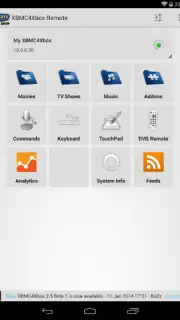
Managing a classic XBMC4Xbox setup often means being tethered to the physical console or a dedicated remote. This app eliminates that limitation by transforming your Android device into a comprehensive wireless control interface, providing direct access to your entire media library from anywhere within your network.
Core Functionality and Interface
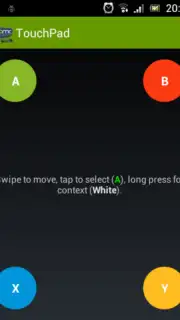
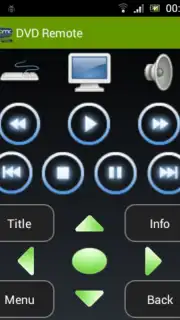
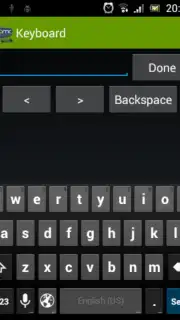
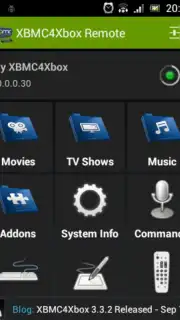
The XBMC4Xbox Remote app establishes a direct network connection to your XBMC4Xbox installation. It mirrors the console's on-screen display, allowing for precise navigation through menus, libraries, and system settings. The interface is designed for functionality, replicating the classic XBMC skin for immediate familiarity. Core control is handled through a responsive directional pad, select button, and context menus, while a dedicated on-screen keyboard facilitates efficient text input for searches and data entry without needing a physical keyboard connected to the Xbox.
Operational Advantages and Utility
The primary utility lies in its consolidation of control methods. It replaces the need for an infrared remote, a game controller, or direct console interaction for most navigation tasks. Performance is dependent on network stability, but when connected, response is instantaneous with no perceptible lag for standard commands. The app provides granular control, from basic playback functions like play, pause, and stop to accessing advanced settings within the XBMC4Xbox dashboard, making it an essential tool for power users who frequently manage their media collection or adjust system parameters.
- Complete Wireless Navigation: Control every aspect of your XBMC4Xbox interface using a responsive on-screen D-pad and buttons.
- Direct Library Browsing: Browse and launch your entire video, music, and picture library directly from your phone or tablet.
- Integrated On-Screen Keyboard: Input text efficiently for searches, renaming files, or editing settings without additional hardware.
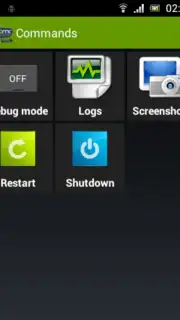
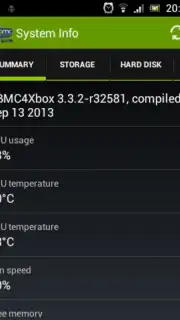
- Playback and System Control: Manage media playback and access deep system settings for configuration and customization.
- Network-Based Connectivity: Operates over your local Wi-Fi network for a cable-free control experience from any room.
Download the XBMC4Xbox Remote now and unlock the full potential of your media center. Don't wait—transform your Android device into the ultimate remote control immediately!
Internet required. IAP available.
Information
| Version | 2.9.9.1 |
| Developer | Dan Dar3 |
| Requirements | Android Android + 2.1.x+ |
| Updated | 17.03.2026 |
| Size | 3.48 MB |
| Package | com.dandar3.xbmc4xbox.remote |
| Signature | e124fdbff5b9cd38876ad3c6f484c4bb |
| Architecture | universal |


