


Yahoo Mail screenshots (15)




Description Yahoo Mail
Tired of juggling multiple email apps? Consolidate your communication
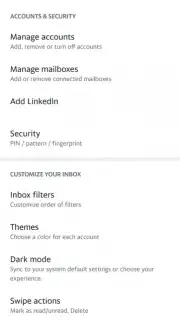
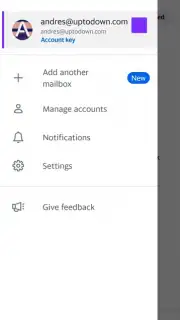
Managing several email accounts across different services like Gmail, Outlook, and Yahoo can fragment your workflow and waste precious time. Yahoo Mail for Android solves this by acting as a powerful, unified command center for all your email correspondence. It transforms your smartphone into a highly efficient hub where you can seamlessly send, receive, and organize messages from virtually any email account you own, all within a single, intuitively designed application. Beyond simple aggregation, it provides robust tools for customization, security, and attachment management, making it a comprehensive solution for both personal and professional communication needs.
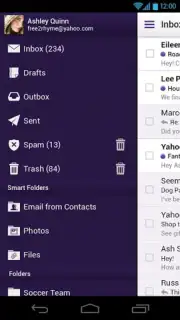
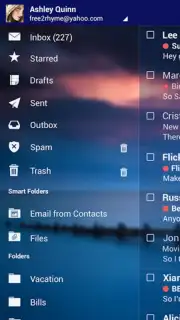
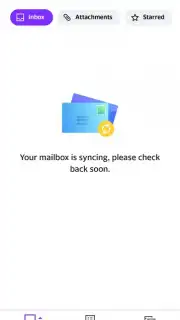
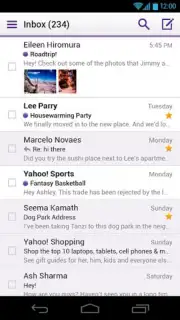
The application is built around a clean, user-friendly interface that prioritizes clarity and ease of use, ensuring you can navigate your inbox and access key functions without a steep learning curve. A standout feature is the centralized inbox, which intelligently pulls messages from external accounts like Gmail, Microsoft Outlook, and AOL, allowing you to view all your correspondence in one streamlined flow without constantly switching between apps. Security is handled with serious intent, incorporating measures designed to help protect your privacy and keep your communicated information confidential.
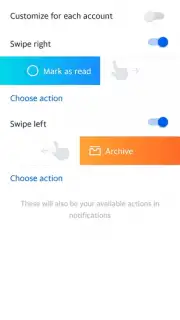
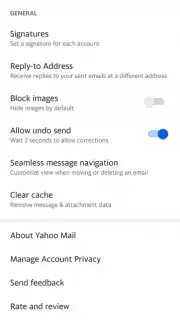
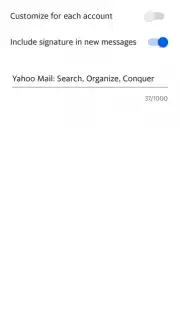
For daily management, Yahoo Mail includes practical tools like a dedicated subscriptions detector that helps you identify and instantly unsubscribe from unwanted mailing lists, decluttering your inbox proactively. Composing, sending, and receiving emails is a straightforward process, enhanced by a specialized section that neatly organizes all your email attachments for quick access and review. Furthermore, the app allows you to personalize various sections and adapt its layout and functions to better suit your specific workflow and preferences.
- Unified Inbox Management: Consolidate emails from Gmail, Outlook, Yahoo, and more into a single, easily scannable view.
- Enhanced Privacy Controls: Utilize built-in security features focused on helping to protect your data and email confidentiality.
- Smart Subscription Cleanup: Instantly detect and unsubscribe from unwanted mailing lists directly from your inbox.
We suggest trying Yahoo Mail to experience a streamlined and secure approach to handling all your email accounts from one powerful Android application. Consider downloading it to replace app-switching with simplified, centralized control.
Internet required. IAP available.
Information
| Version | 6.16.2 |
| Developer | Yahoo |
| Requirements | Android Android 5.0+ |
| Updated | 02.09.2026 |
| Size | 27.47 MB |
| Package | com.yahoo.mobile.client.android.mail |
| Signature | BE:F3:23:62:C0:9F:50:80:7E:02:5F:AD:8E:1F:78:A8:C3:4A:38:05 |
| Architecture | arm64-v8a |


