


Yandex Browser screenshots (21)













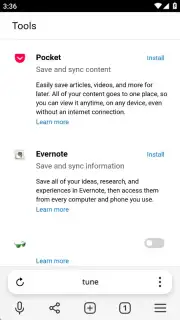



Description Yandex Browser
Navigating the Android Web: A Technical Review of Yandex Browser
Finding a mobile browser that balances robust functionality with streamlined performance can be a challenge. Many default options feel basic, while others overwhelm with unnecessary bloat. Yandex Browser, developed by the major Russian tech company Yandex, presents itself as a comprehensive alternative for Android, focusing on integrated security and user-centric customization. This review examines its mechanics as a tool for daily internet use, from its foundational architecture to its more nuanced features.
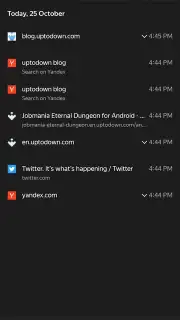
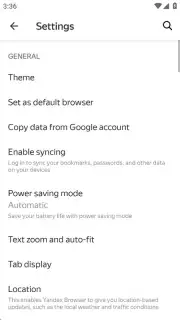
The application operates on a core principle of integrated protection, most notably through its Active Security System Protect. This system functions as a continuous background monitor, particularly vigilant when connecting to public Wi-Fi networks. It encrypts data transmission to shield login credentials and personal information from common vulnerabilities on unsecured hotspots. Security management is centralized within the Settings menu, where users can audit and control all stored personal data—including saved passwords, payment cards, and autofill information—with options for one-touch deletion of browsing history and cached data. For connectivity, the browser employs a data compression technology called Turbo, which optimizes page loading on slow networks and can reduce mobile data consumption, though a user account is not mandatory for core functionality.
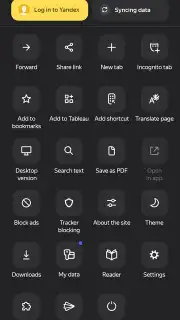
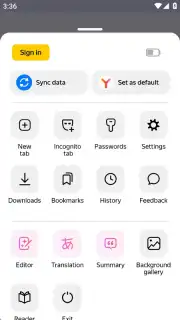
Aesthetic and interface control is another significant pillar. The browser provides granular control over its visual presentation, moving beyond a simple light/dark theme toggle. Users can fully customize the start page by selecting a background from a curated gallery of images and adjusting the grid of direct link shortcuts. This allows the interface to be tailored from a purely functional launchpad to a more personalized dashboard. Further enhancing the browsing experience is a configurable ad-blocking engine, accessible directly from the quick settings menu. It offers three distinct filtering levels: off, blocking only intrusive or malicious ads, and a maximum blocking mode for a nearly ad-free experience, giving precise control over page clutter and potential security risks from ad networks.
For users invested in the Yandex ecosystem, the synchronization framework is straightforward. While the browser works perfectly in a local "guest" mode, signing in with a Yandex ID (or via linked social accounts like Google, Facebook, or VK) enables cross-device synchronization of bookmarks, history, and open tabs with the desktop version of Yandex Browser. The browser also includes a voice search capability for hands-free queries and a dedicated reading mode that strips a webpage down to its core text and essential images, significantly improving readability and reliability on unstable connections.
-
Core Feature Set:
- Active Security System Protect with encryption for public Wi-Fi and centralized privacy controls.
- Turbo mode for data compression and accelerated page loading on slower mobile networks.
- Fully customizable interface with theme options and a configurable start page background and shortcut grid.
- Integrated three-level ad blocker to filter intrusive, malicious, or all advertisements.
- Cross-platform synchronization of history and bookmarks via Yandex ID or social account login.
We suggest trying Yandex Browser if you seek a highly configurable and security-focused alternative for your Android device. Consider downloading it to experience its balanced approach to protection, performance, and personalization.
Heads up: you'll need wifi for most features. Some cool stuff is extra.
Information
| Version | 26.3.1.115 |
| Developer | Yandex Apps |
| Requirements | Android Android + 10+ |
| Updated | 17.03.2026 |
| Size | 143.09 MB |
| Package | com.yandex.browser |
| Signature | 1c7e3cc458b4dbf6f0ce44e9ac9940e8 |
| Architecture | universal |


