

YT Video Downloader screenshots (4)

Description YT Video Downloader
A YouTube Video Downloader That Mirrors the Native Platform Experience
YT Video Downloader provides a direct method for saving video content from YouTube to an Android device. The application's primary function is to facilitate downloads through an interface that replicates the standard YouTube layout, eliminating a learning curve for most users. This review examines its operational mechanics, feature set, and practical workflow.
Core Functionality and User Interface Analysis
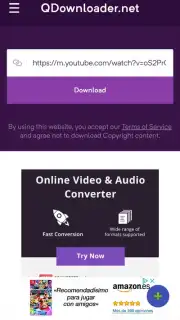
The application operates by layering download functionality onto a familiar browsing environment. Upon launch, users encounter a home screen populated with trending videos, a dedicated search bar, and the option to log into a personal YouTube account for access to subscription feeds and playlists. This design choice means all standard YouTube navigation—searching, browsing categories, viewing video pages—is performed within the app itself. The download process is initiated by a persistent floating action button that appears during video playback. Tapping this button opens a menu presenting download format and quality options.
Operational Workflow and Key Features
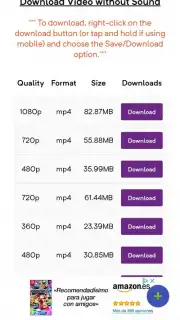
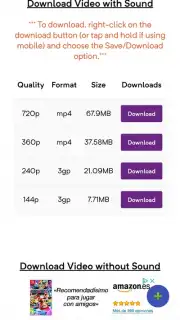
The procedure for obtaining content is streamlined. Users first locate a video through the integrated browser. Once on the video's watch page, the floating button becomes available. Selection triggers a configuration dialog where the user must choose between saving the complete video file or extracting audio-only in MP3 format. This is followed by a resolution selector, typically offering tiers from standard definition up to HD or higher, dependent on the source video. A notable operational point is the absence of banner or interstitial advertising during core use, a condition linked to an optional in-app purchase called Turbo mode.
- Native YouTube Interface Clone: Provides a pre-configured browser environment identical to the standard YouTube app for direct video discovery.
- Integrated One-Tap Download Trigger: A persistent floating action button overlays the video player for immediate access to download settings.
- Flexible Output Format Selection: Offers a choice between downloading the complete video file or extracting a standalone MP3 audio track.
- Configurable Video Quality Settings: Allows users to select the resolution and file size of the download, balancing quality and storage use.
- Ad-Free Browsing Experience: Core download functionality operates without disruptive advertisements when the optional Turbo mode is activated.
The utility of YT Video Downloader is specific: it consolidates video discovery and local saving into a single, recognizable interface. Its effectiveness is based on simplifying the steps between finding and downloading content. For users requiring offline access to YouTube videos, this app presents a straightforward technical solution.
Get it immediately! Download YT Video Downloader now to start building your offline library.
Internet required. IAP available.
Information
| Version | 1.0 |
| Developer | Das Pvt. Ltd. |
| Requirements | Android Android + 4.0, 4.0.1, 4.0.2+ |
| Updated | 17.03.2026 |
| Size | 4.49 MB |
| Package | com.appybuilder.debanshuds99.yt_downloader |
| Signature | d42fda44d728383b6fb45ffd2d2ef145 |


