

ZLINK screenshots (2)
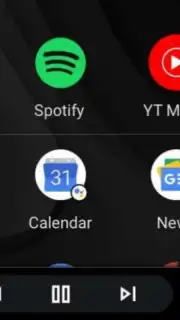
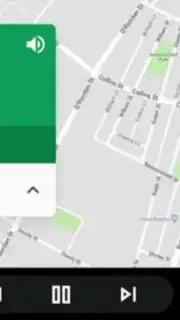
Description ZLINK
Unlock Your Car's Hidden Screen: The Simple Android Auto Solution
Ever sat in your car, staring at that blank aftermarket Android screen, and felt a wave of frustration? You know it should do more. You’ve heard about the seamless experience of Android Auto—where your favorite maps, music, and messages appear on the dashboard with a clean, driver-friendly interface. But when you plug in your phone, nothing happens. That screen, often from brands like Junsun, lacks the official certification, leaving you with a smart device that feels anything but smart. You’re locked out of the connected driving experience you were promised. What if you could change that with a single app?
ZLINK is your key to transforming that dormant display into a fully functional Android Auto hub. This powerful application cleverly bridges the gap between your Android smartphone and your car’s multimedia system. It works by emulating a certified Android Auto connection, gently telling your phone that it’s plugged into an officially supported unit. The moment you connect via USB or Bluetooth and launch ZLINK, your familiar Android Auto interface springs to life. Suddenly, you’re not just looking at a basic screen; you’re commanding a central hub for navigation, entertainment, and communication, all optimized for safe, hands-free use on the road. The experience is streamlined and immediate, activating automatically so you can focus on the drive ahead.
Dive into a world of integrated apps and smooth performance. The true magic happens when your entire compatible app library becomes accessible on that large, convenient display. ZLINK doesn’t just mirror your phone; it creates a dedicated in-car environment.
- Seamless App Integration: Enjoy full, native access to essential driving apps like Google Maps for real-time navigation, Spotify for your personal playlists, and iVoox for podcasts and audiobooks. Any app designed for Android Auto compatibility works flawlessly within the ZLINK interface.
- Zero-Ad Experience & Turbo Performance: Unlike many free alternatives, ZLINK operates without any intrusive advertisements, providing a clean, uninterrupted view. The underlying Turbo technology ensures a responsive and stable connection, minimizing lag and ensuring your maps and music stream smoothly.
- Universal Android Screen Compatibility: Specifically designed for uncertified Android-based car displays, particularly those from various manufacturers, it solves a common pain point for owners of these units. It brings official-level functionality to hardware that otherwise wouldn’t support it.
- Plug-and-Play Simplicity: The setup is remarkably straightforward. After installing the APK on your car’s head unit, the process is automatic. Just connect your phone, and ZLINK handles the rest, launching your personalized driving dashboard every time.
You deserve a connected, modern driving experience without changing your car’s hardware. ZLINK delivers exactly that, turning your existing setup into a powerful command center. Consider downloading ZLINK APK today and finally unlock the full potential of your car’s screen.
Download the ZLINK mobile app now.
Disclaimer: A stable internet connection via your smartphone is required for full functionality of online services like navigation and streaming. This app facilitates connectivity for compatible Android-based car multimedia systems.
Information
| Version | 11.9.34 |
| Developer | Zhijian Technology |
| Requirements | Android Android + 4.2, 4.2.2+ |
| Updated | 17.03.2026 |
| Size | 11.01 MB |
| Package | com.zjinnova.zlink |
| Signature | 3061d58fcec1f07955f103ac1a4775b1 |
| Architecture | armeabi-v7a |





